How do I delete a Billing Term?
Last updated: August 24, 2026
Tabs supports deleting Billing Terms from the customer level.
Deleting a Billing Term will also delete all associated invoices linked to that product.
Tabs does not support bulk deletion. Billing Terms must be deleted one at a time.
Steps to delete a Billing Term
Navigate to the individual customer.
Select the Billing Terms tab.
Click into the Billing Term you want to delete.
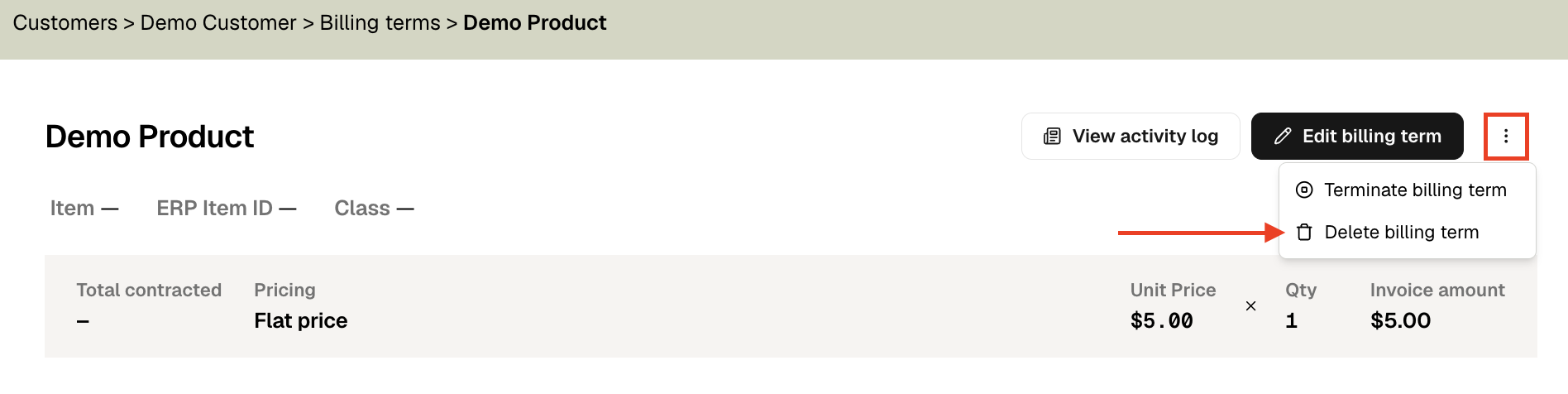
On the top right, click the ellipsis (⋯).
Select Delete Billing Term.
Tabs will not allow you to delete a Billing Term if any related invoices have been SENT, PAID, or marked as VOID.