How does the revenue schedule work?
Last updated: August 24, 2026
Background
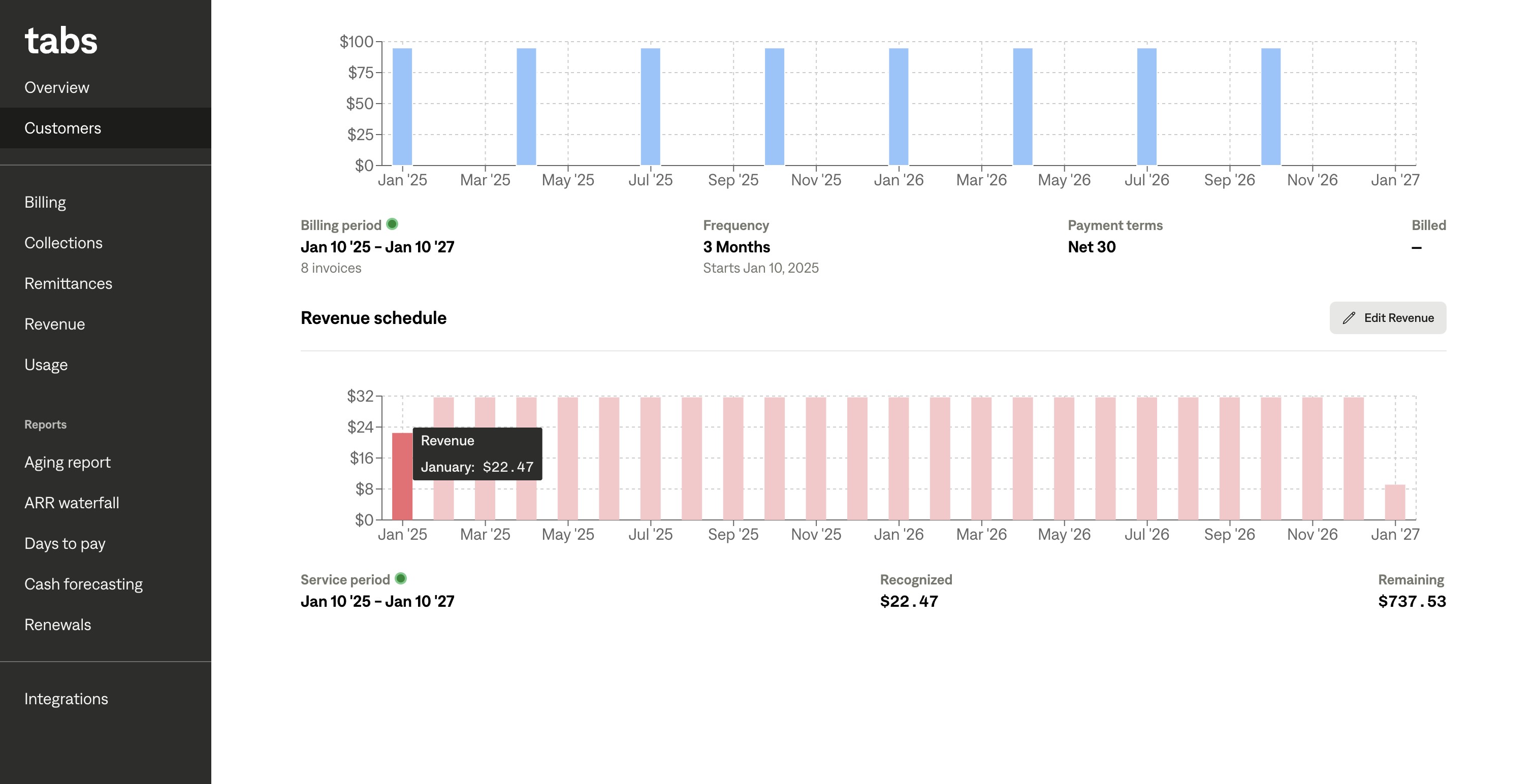
In the Revenue Schedule section of a Billing Term Details page, you can see a chart of representing how revenue will be recognized for this Billing Term.
Things to note
When hovering over each bar, you can see the amount of revenue for each month. A darker red bar represents a previous, or recognized months and a lighter red bar represents upcoming service periods.
Below the chart, you can see the service period for the Billing Term, the recognized amount, and the remaining amount to be recognized.
By comparing the billing and revenue charts, you can understand whether your commercial obligations are accrued or deferred.