How to transfer documents between customers
Last updated: November 17, 2025
If you need to transfer documents from one customer to another, you can use the Change customer feature to move documents and then delete the unwanted customer record.
Transfer documents to another customer
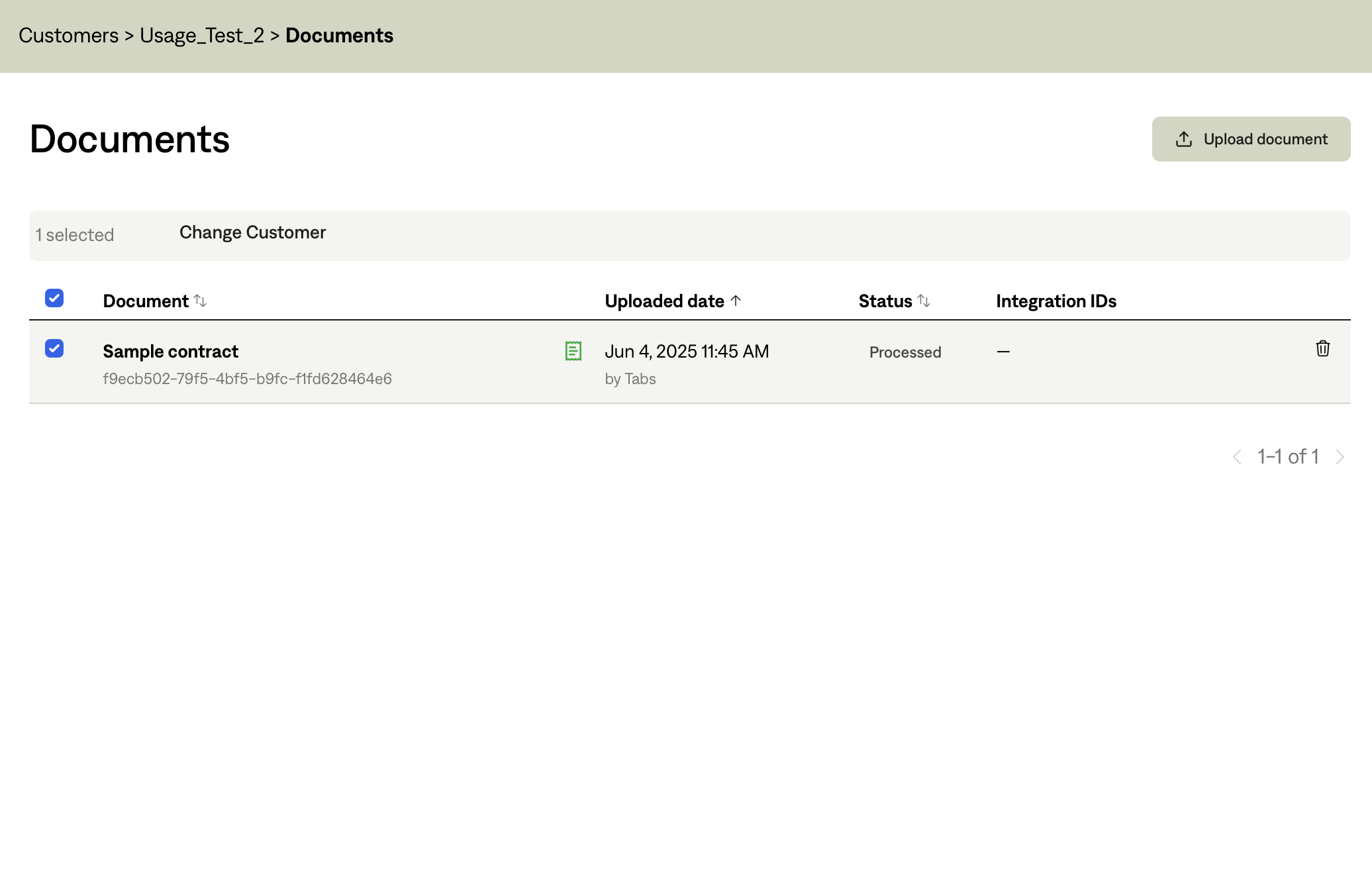
Click on the customer that contains the documents you want to move
Navigate to the Documents tab
Click the check mark next to the documents you want to transfer
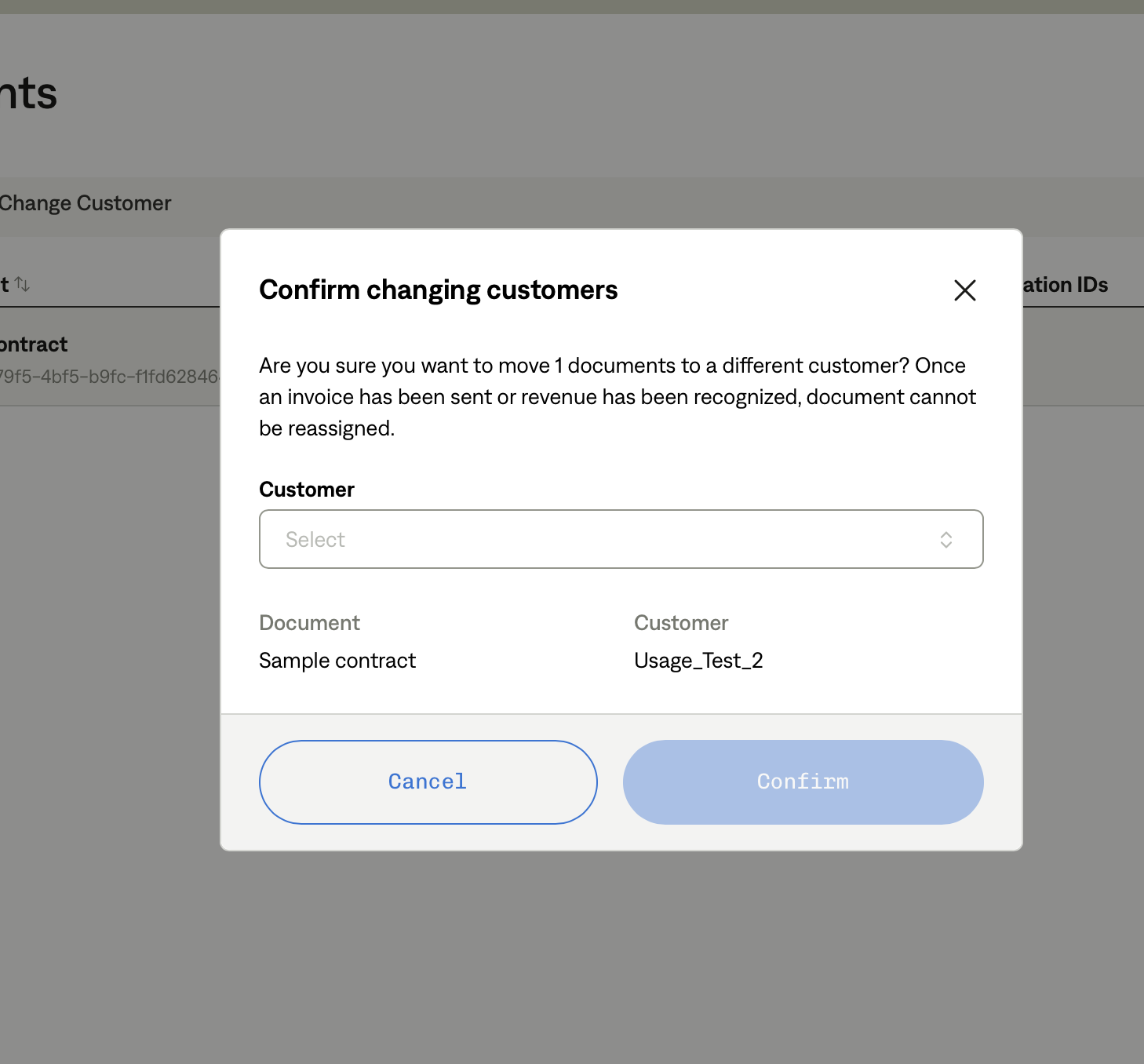
Click Change Customer
Select the name of the customer you want to transfer the documents to
Click Confirm
Note: You are unable to transfer contracts that have Sent invoices associated with them.
Delete the old customer record
After transferring all necessary documents, you can delete the customer record that is no longer needed. Contact support to specify which customer record you want to delete.
This process allows you to effectively merge customer records by moving all relevant documents to the preferred customer name and removing duplicate entries.