Resolving Missing Integration Items for Products
Last updated: June 4, 2026
When processing contracts or creating invoices, you may encounter errors indicating that products are missing integration items. Integration items are required to map your GL accounts using the items in your ERP system (QBO: "Product & Services", NetSuite: "Items") for proper revenue recognition and invoicing.
Common Error Messages
You might see error messages such as:
"Billing item(s) are missing an integration item"
Products showing as "uncategorized" with no integration items available
How to Resolve Missing Integration Items
Go to the product page and click "Edit Product" in the top right
Look for the Integration item field
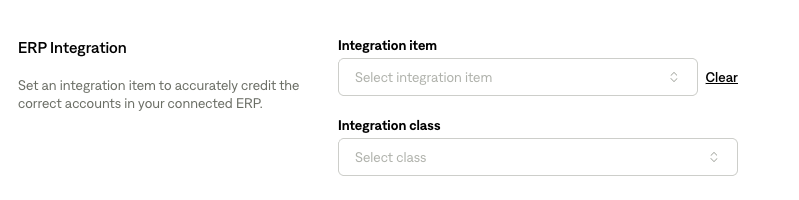
If the dropdown is empty or an expected integration item is missing, navigate to the home page and click "Sync to ERP"; items will be shown in the dropdown. This assumes that the integration items do exist in your ERP.
If the dropdown is not working, this may be a system bug - contact support for assistance
Bulk Updates
When integration item mappings are updated on a particular product:
The changes will automatically apply to all existing invoices with that product
You won't need to manually update each individual invoice