Connecting Plaid
Last updated: November 20, 2025
Summary
Connect your business banking account to automatically sync transactions with Tabs for cash application. Unsure if your bank is supported? Reach out to our support team.
Step-by-Step Instructions
Navigate to the integrations page.
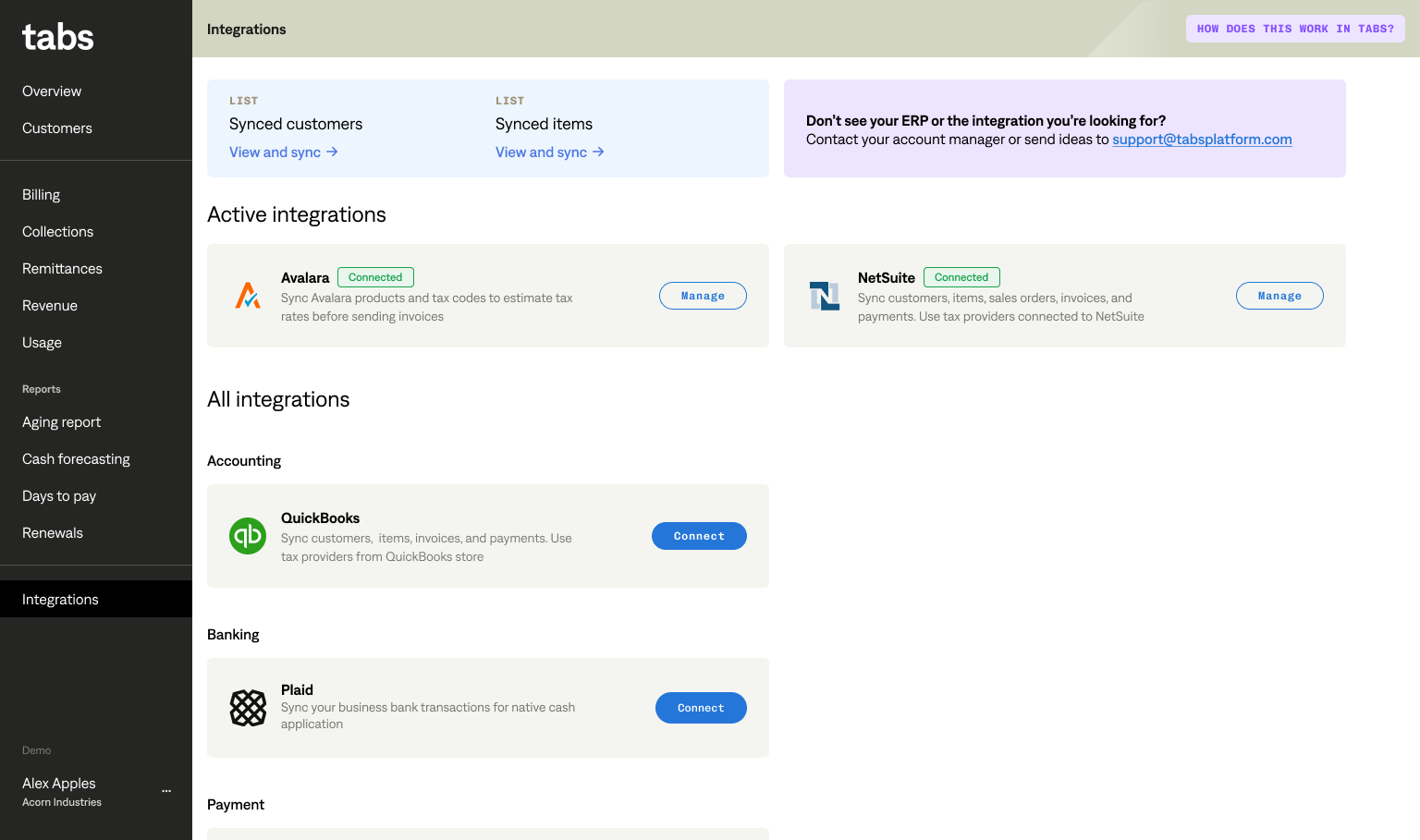
Find Plaid in the list of integrations and click ‘connect’.
Complete the Plaid authentication flow. You may authorize one bank at a time.
Select bank accounts that you use to receive payments from customers.
Configure the corresponding GL accounts used in your connected ERP and click ‘save’.
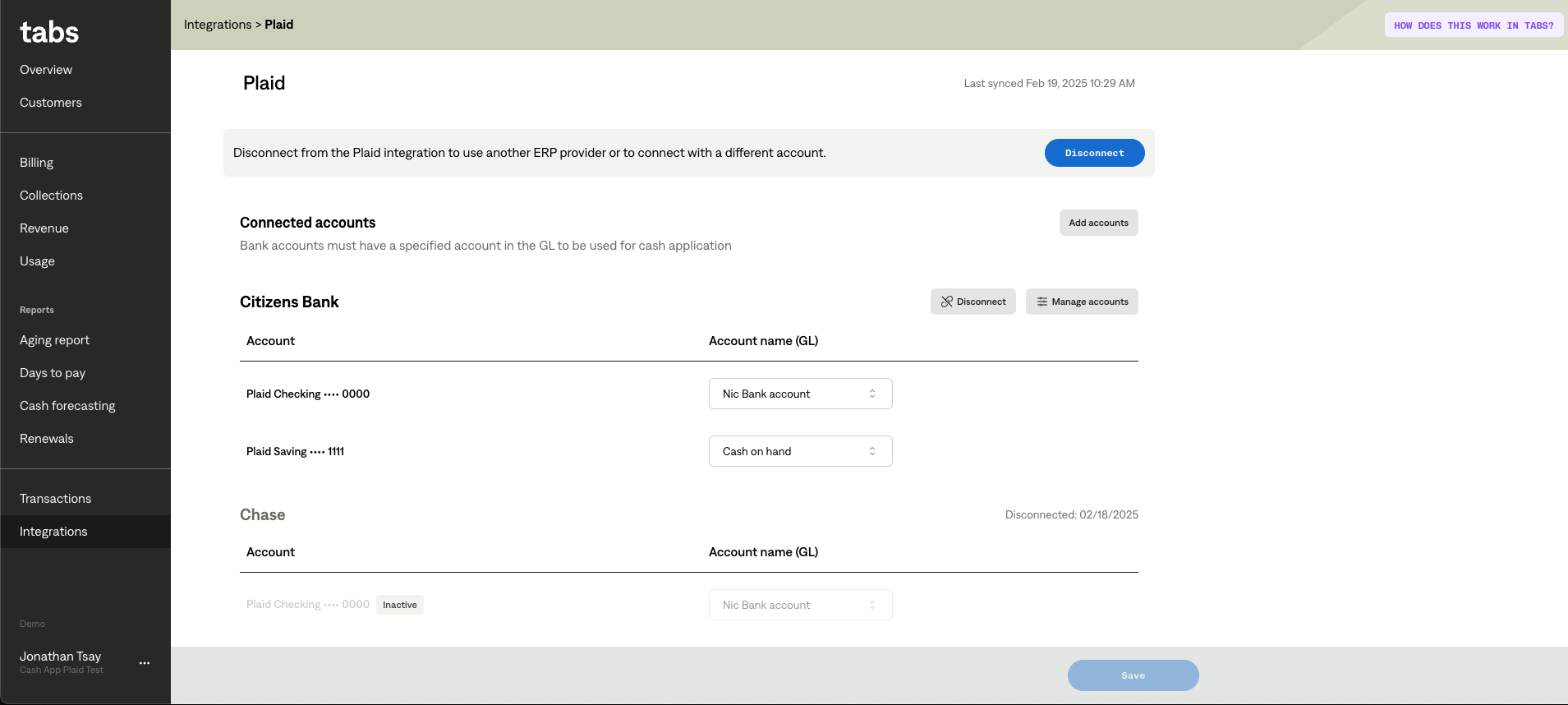
Repeat as necessary for different banks.