How do I remove a payment?
Last updated: November 2, 2025
You can remove a payment from the invoice details page.
Steps to remove a payment
Go to the invoice where the payment was applied.
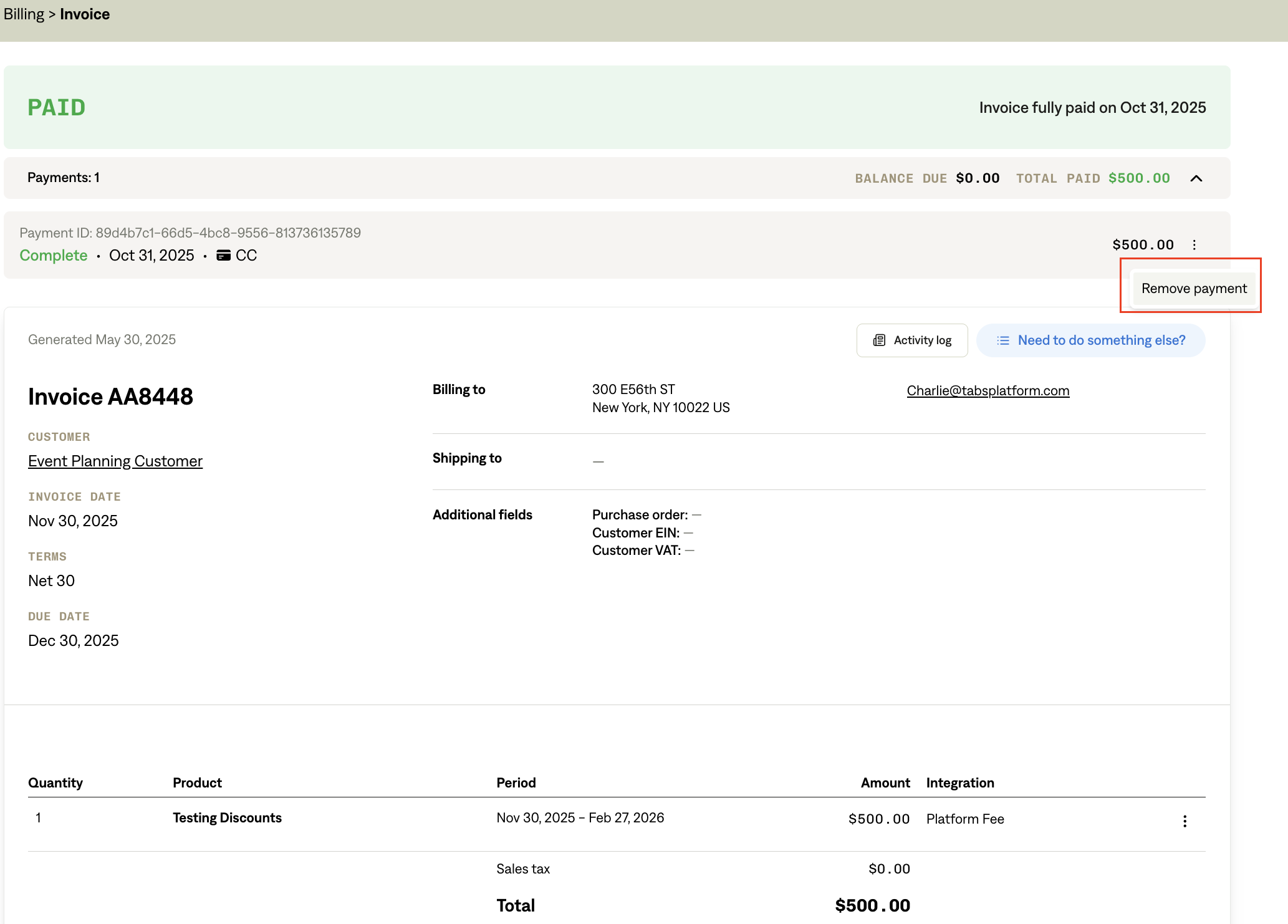
Locate the payment section at the top of the invoice.
Click the ellipsis (⋯) next to the payment.
Select Remove Payment.
When a payment is removed, it will also be removed from the connected ledger during the next scheduled sync. The payment status may not update immediately; refresh the page to view the latest state.
Why can't I remove a payment?
You cannot remove a payment if the associated invoice is in a closed accounting period.
You cannot remove a completed Stripe payment that has automatically been matched by cash application.