Plaid <> SVB integration may become periodically disconnected
Last updated: September 24, 2026
Tabs has identified an issue with the integration between SVB and Plaid, affecting workflows using third-party integrations, including Tabs Cash App and payments.
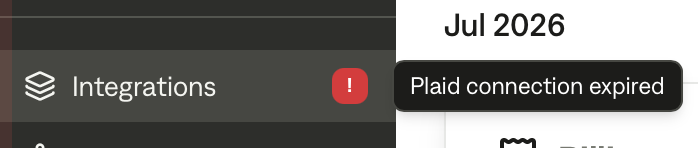
This may result in the connection to Plaid requiring re-authentication. In this case, you will see a "Plaid Connection Expired" flag on the Integrations icon on the left navbar in your Tabs account.
This can result in payment status showing in Tabs, where customers have paid but invoices are still shown as pending.
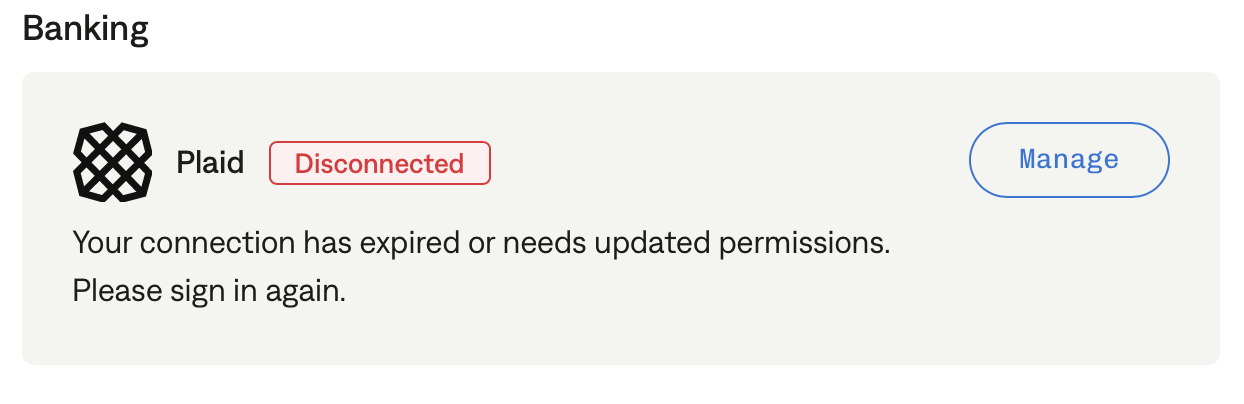
You can resolve this by clicking into the integrations, clicking "Manage," and re-authenticating.
If this method fails, we recommend downloading bank statements as CSV files and uploading them to the Tabs app for cash application as a workaround.
Follow the steps here: https://help.tabs.com/articles/6693947994-uploading-bank-transactions?lang=en
Alternatively, if you’ve confirmed that an invoice payment has been received and processed, you can mark the invoice as 'Paid' from the invoice page.
Plaid is aware of this issue and is working diligently to resolve it.
In the interim, we are monitoring merchant accounts that use SVB and are reaching out to notify merchants when we detect that Plaid has become disconnected.