Creating Credit Memos in Tabs
Last updated: October 3, 2025
Credit memos allow you to adjust customer invoices by reducing the outstanding balance. This article explains when you can create a credit memo and the steps to do it.
When Can I Create a Credit Memo?
Only invoices that are Sent or Overdue (with an outstanding balance due) are eligible.
Credit memos can only be applied up to the remaining balance due on the invoice.
How to Create a Credit Memo
Find the Invoice
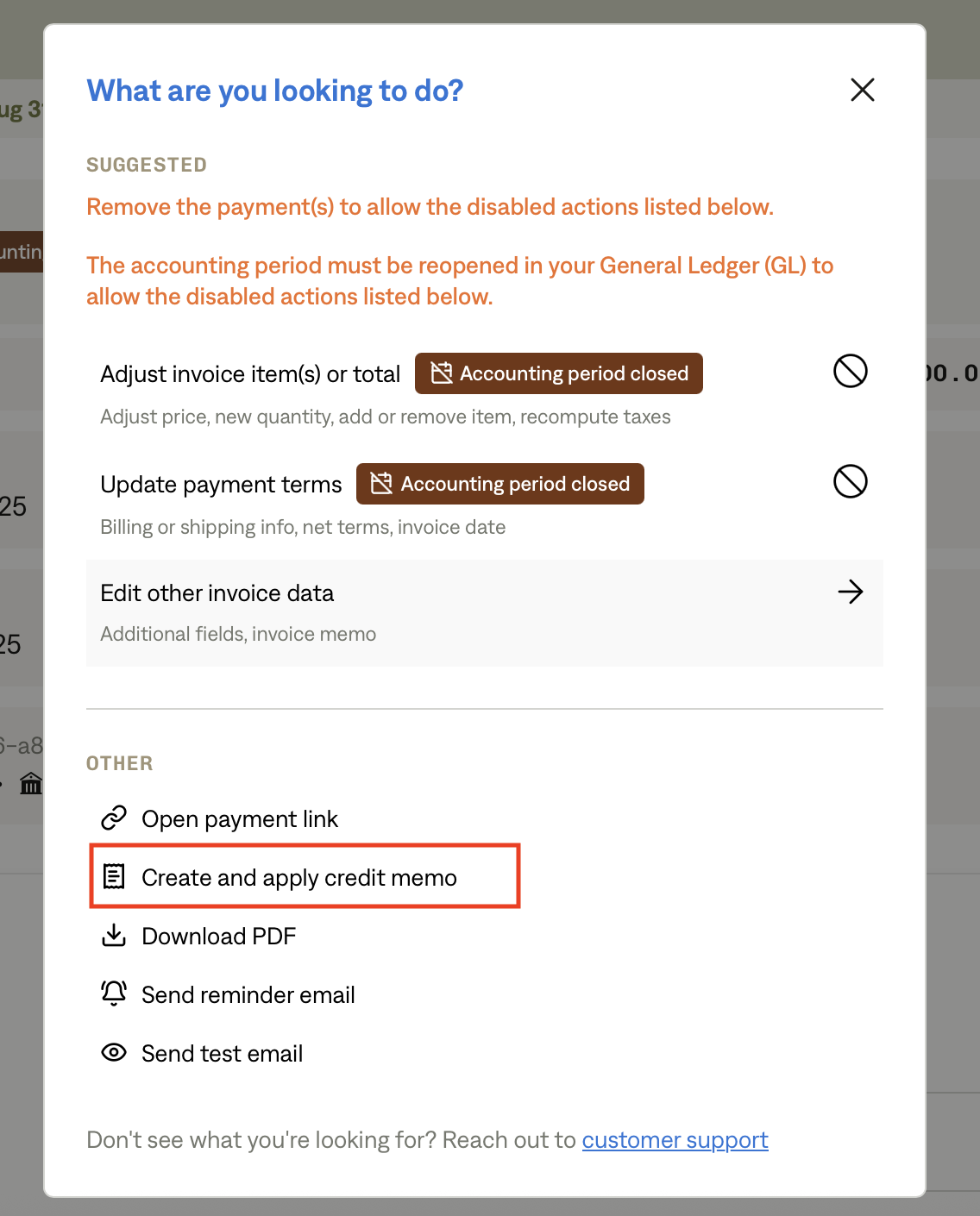
Navigate to the invoice you want to credit.Start the Create Flow
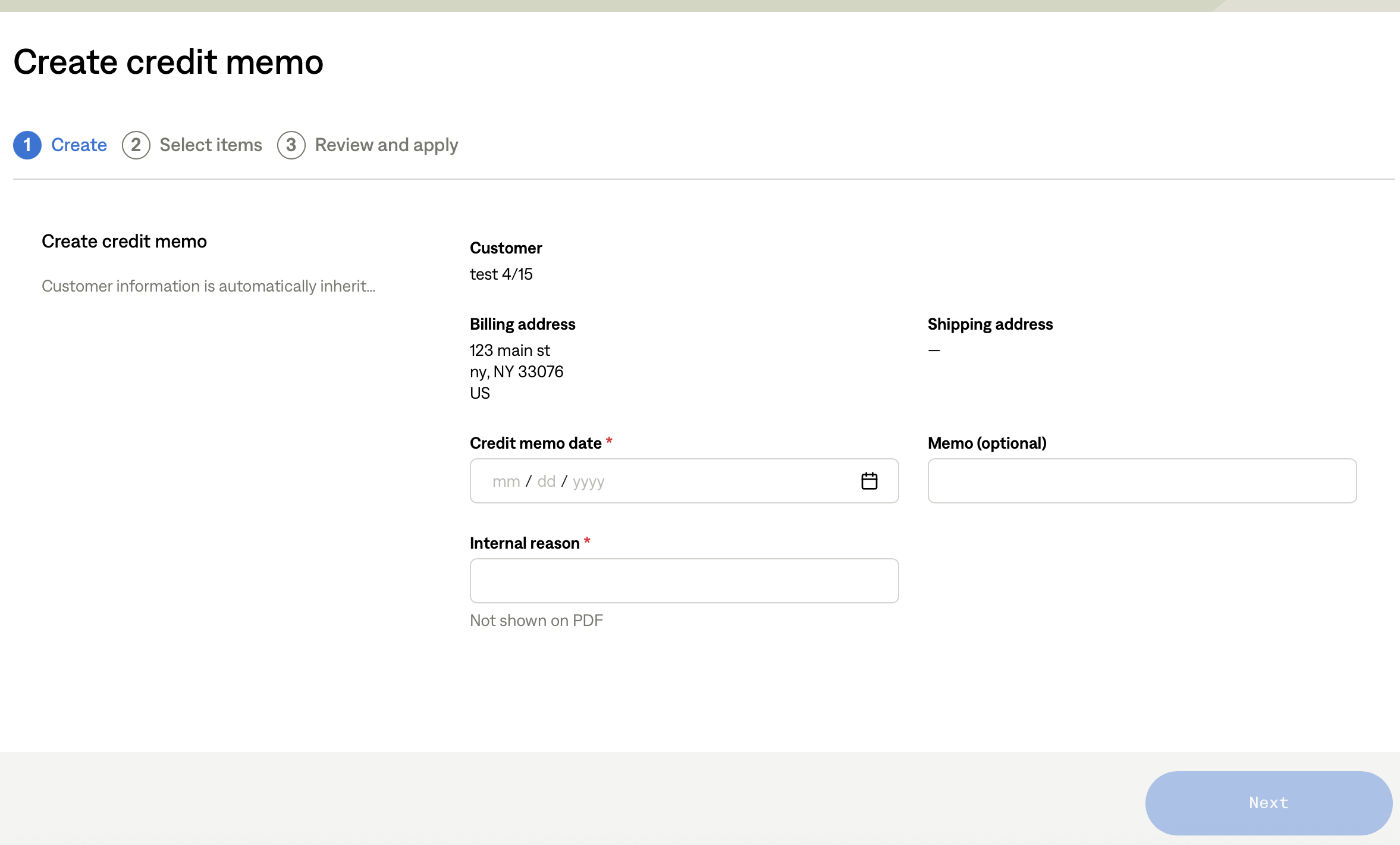
From the invoice, select “Create Credit Memo.”
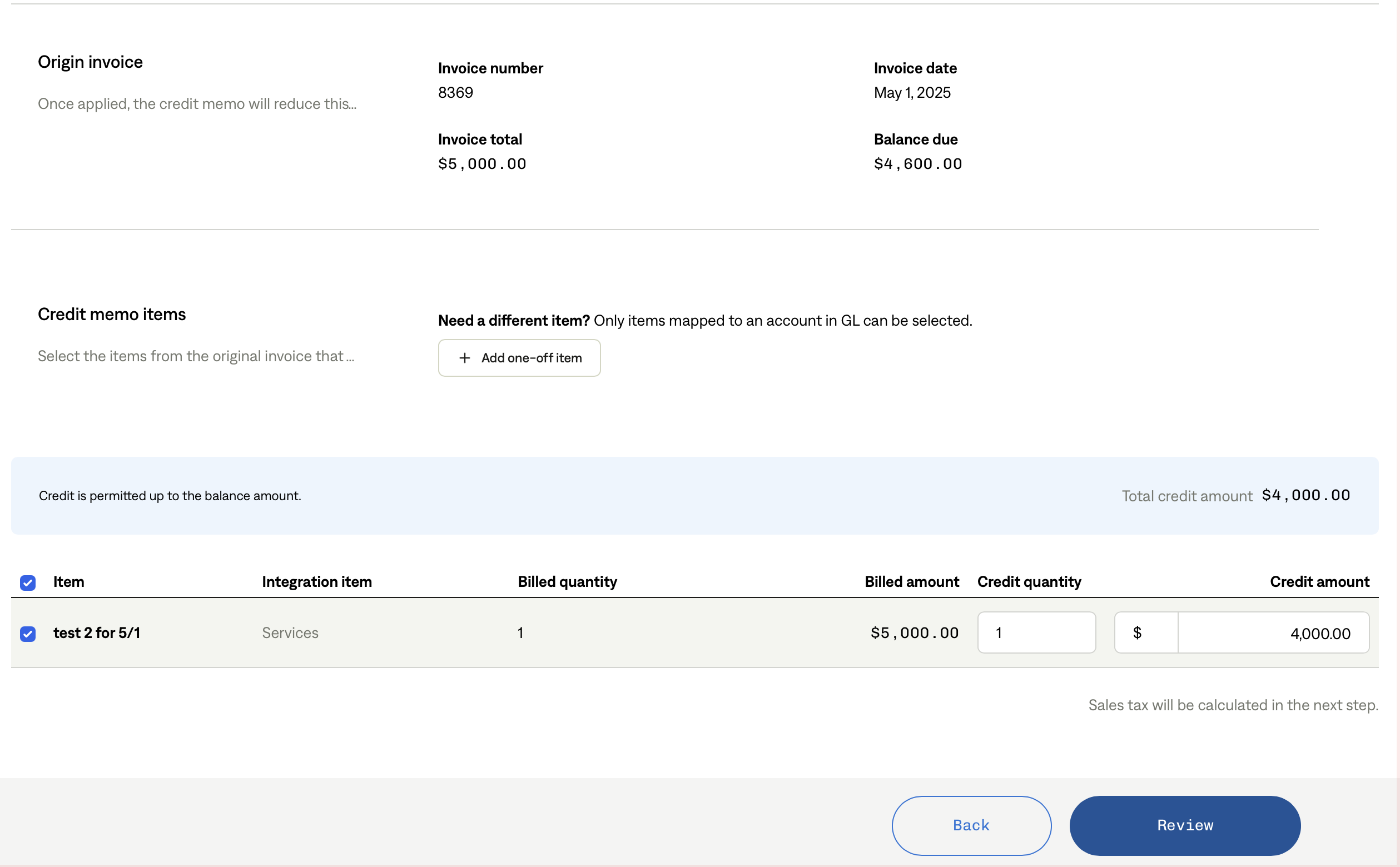
You may also add a one-off item during this flow.
Enter Credit Details
Choose which items or amounts to credit.
Ensure that the total credit does not exceed the balance due.
Save and Confirm
The credit memo is created immediately.
The change syncs to your General Ledger (GL) right away.
Key Points to Remember
Credit memos reduce the balance due on an invoice.
Both the credit memo and the related invoice adjustments are synced to your GL automatically.