Crediting Customers in Tabs
Last updated: October 24, 2025
In addition to applying credits to individual invoices, Tabs also allows you to credit customer directly. These credits are tied directly to the customer record and can be applied to any future sent invoices for that customer. This is useful when you want to issue a general credit (not tied to a specific invoice).
How to Credit a Customer
Go to the Customer Record
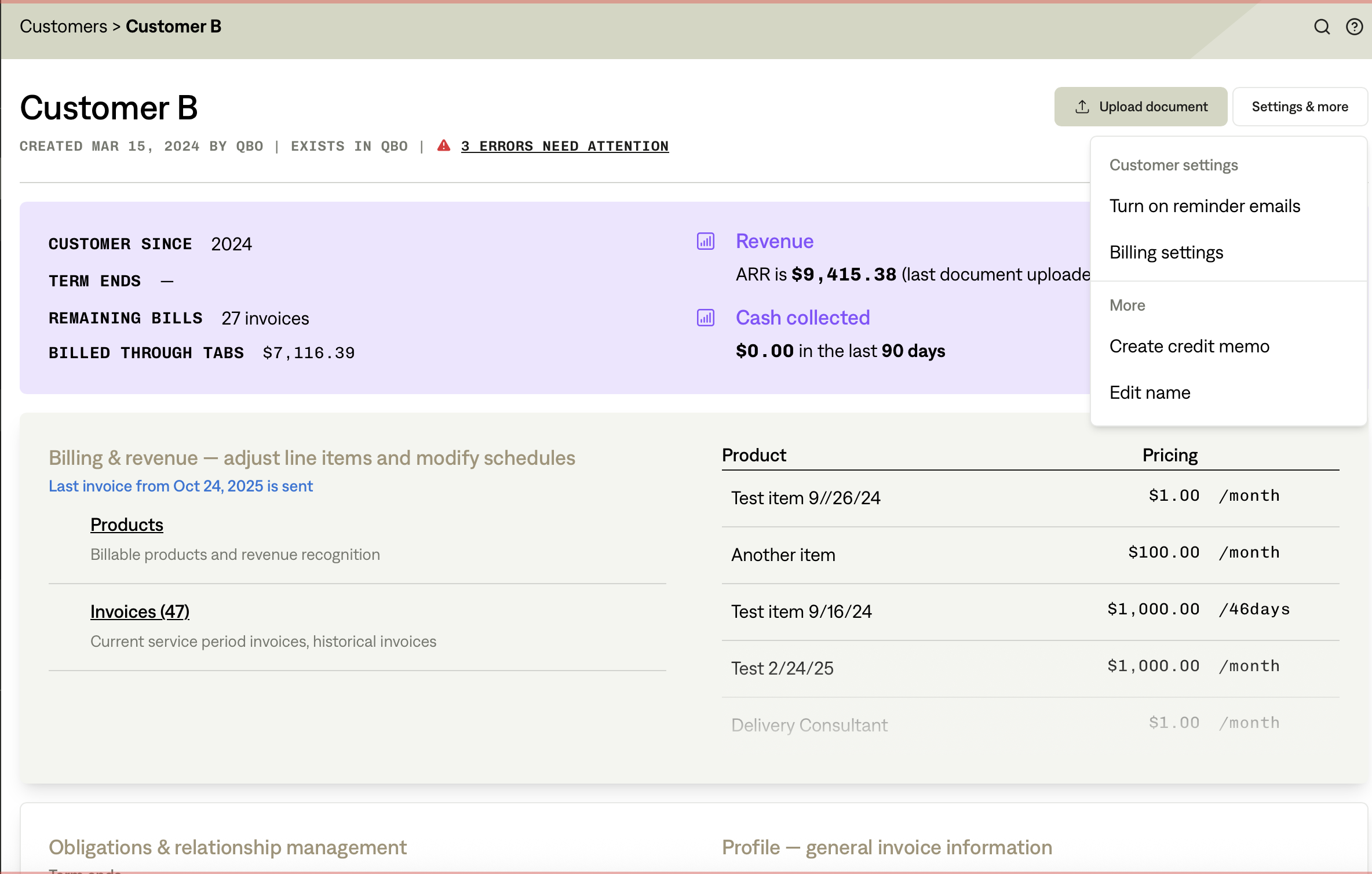
Navigate to Customers and select the customer you want to credit.
the Settings & more menu in the top-right corner.
Choose “Create credit memo”
From the dropdown, click Create credit memo.
Enter Credit Memo Info
Fill in details such as:
Credit memo date
Internal reason (not shown to customer)
Optional Memo (shown in credit memo PDF, which can be downloaded and sent to customer)
Confirm address if needed.
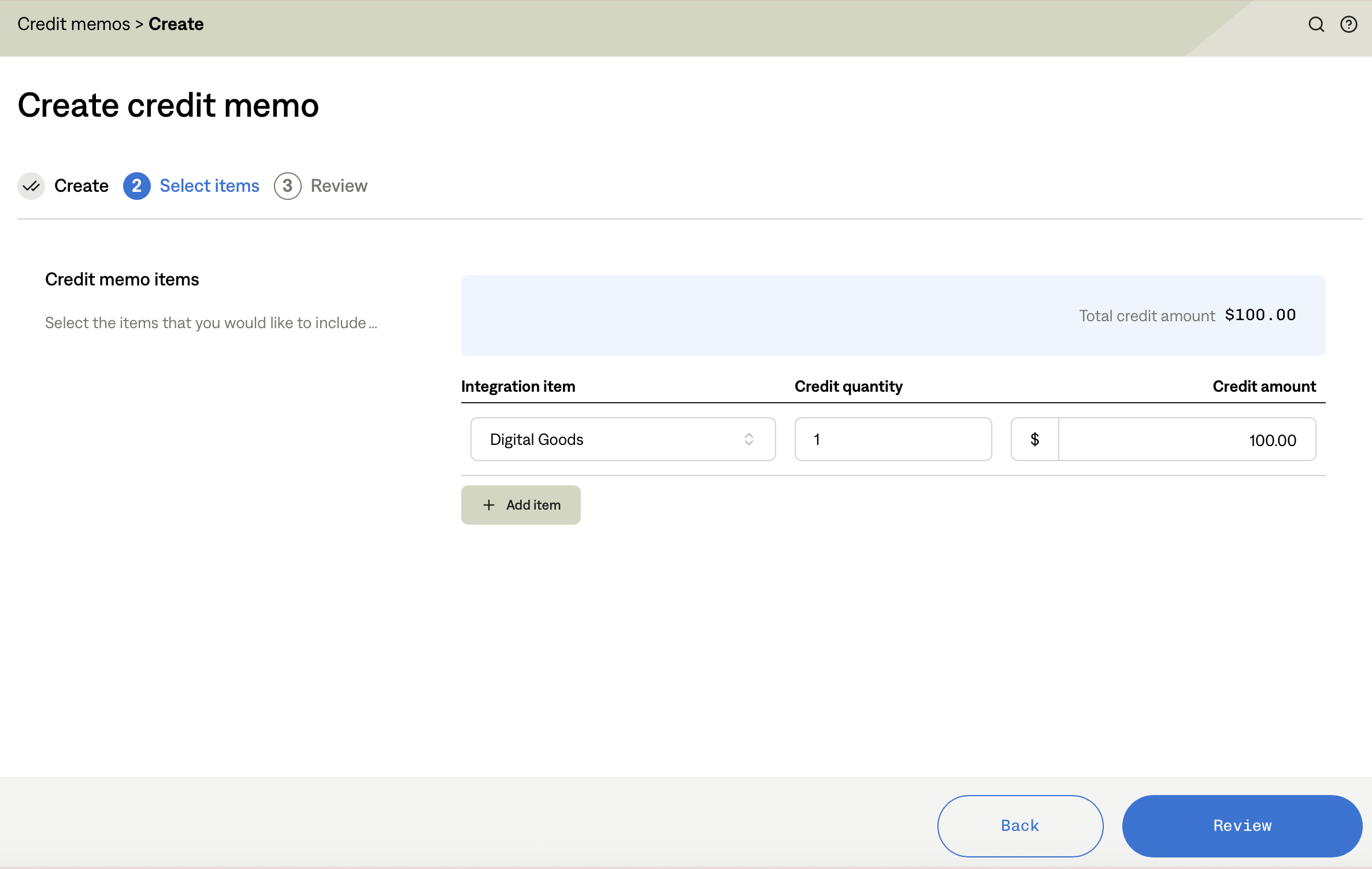
Add Items
In the Select items step, add one or more items.
Enter integration item, quantity, and credit amount.
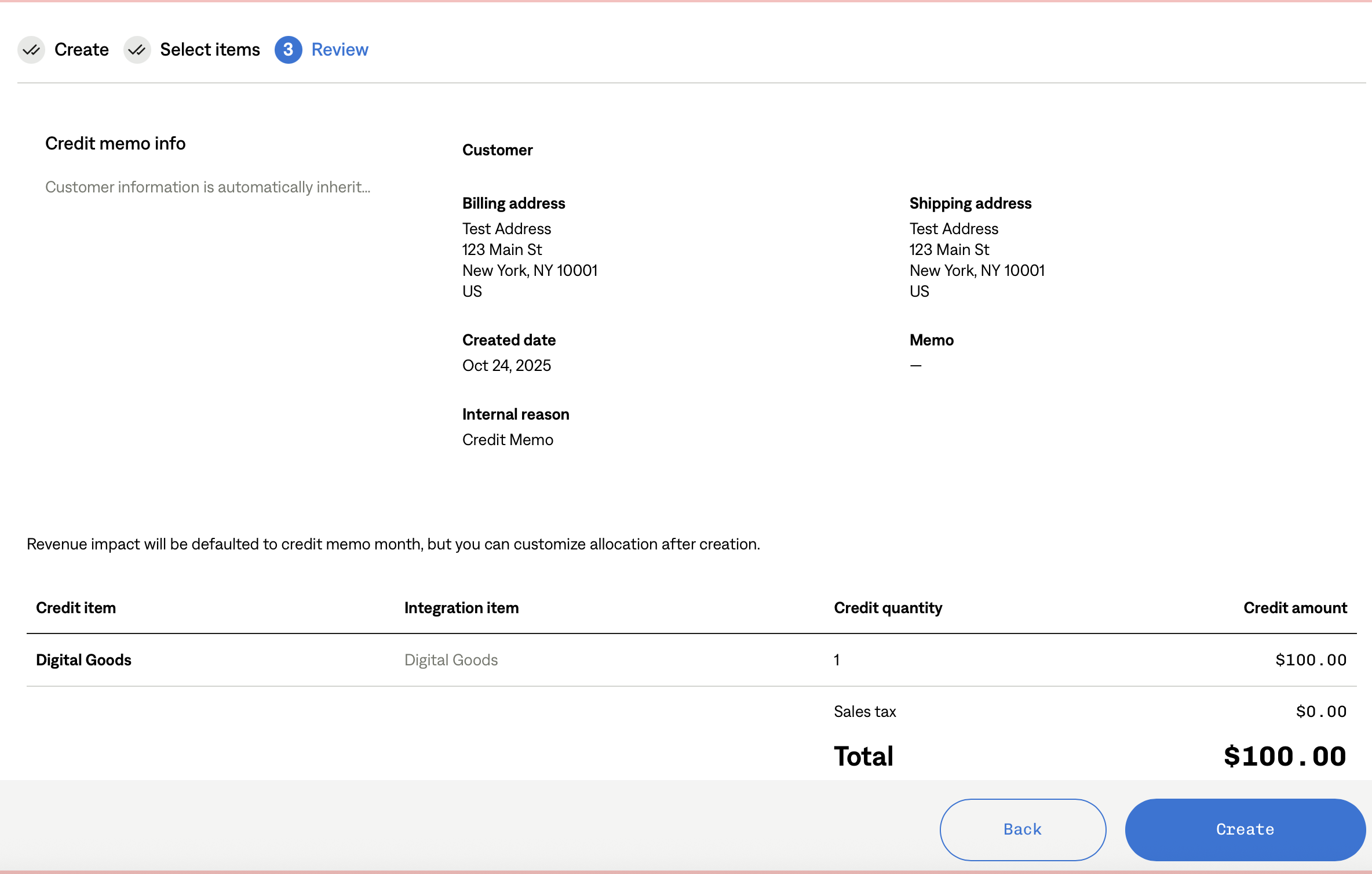
Review and Create
Review customer, address, items, and amounts.
Click Create.
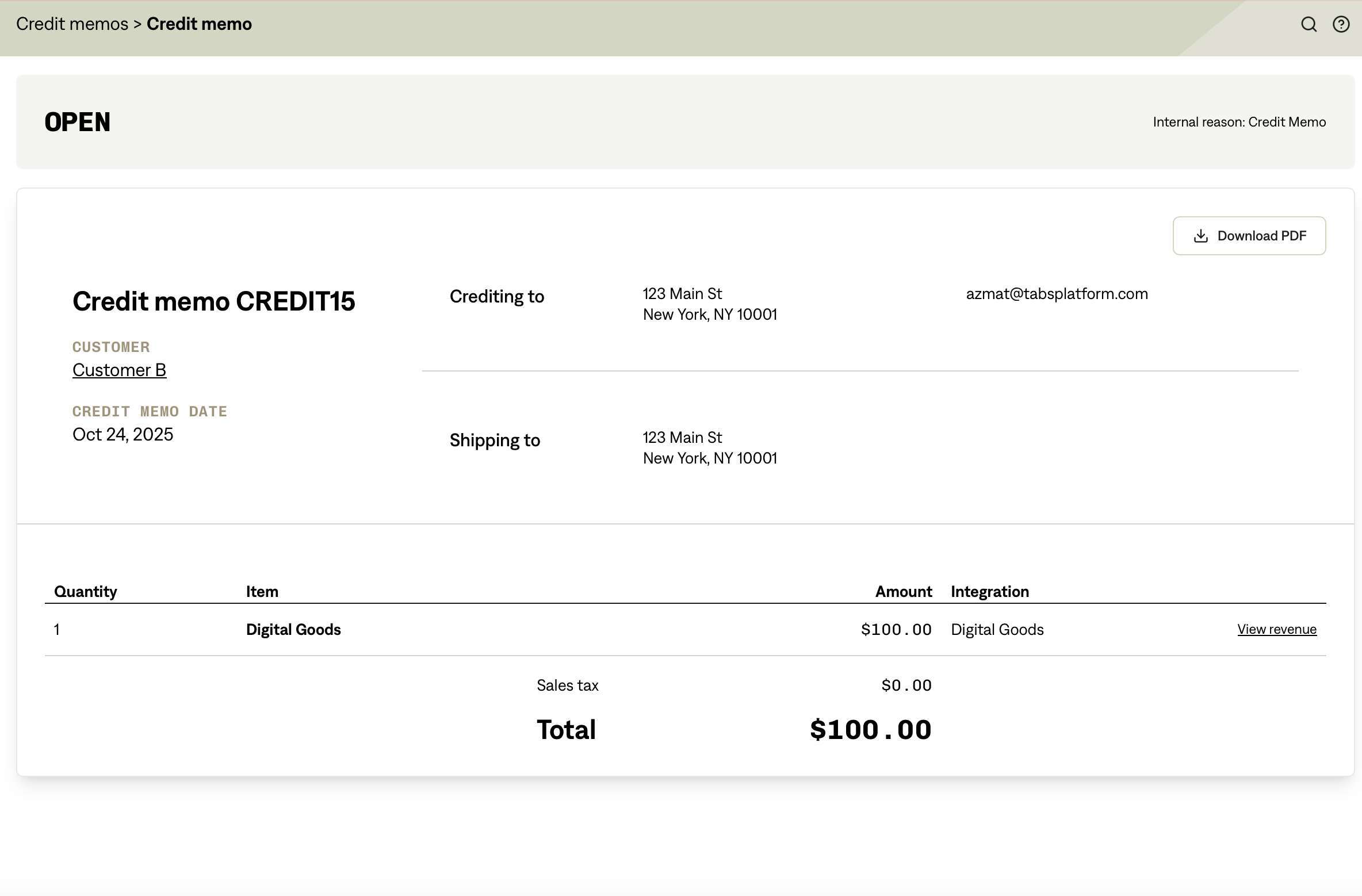
Result
The credit memo is created at the customer's account level.
It shows in the Credit memos list for that customer with a status of OPEN.
Applying an Open Credit Memo
Account-level credit memos remain OPEN until they are applied.
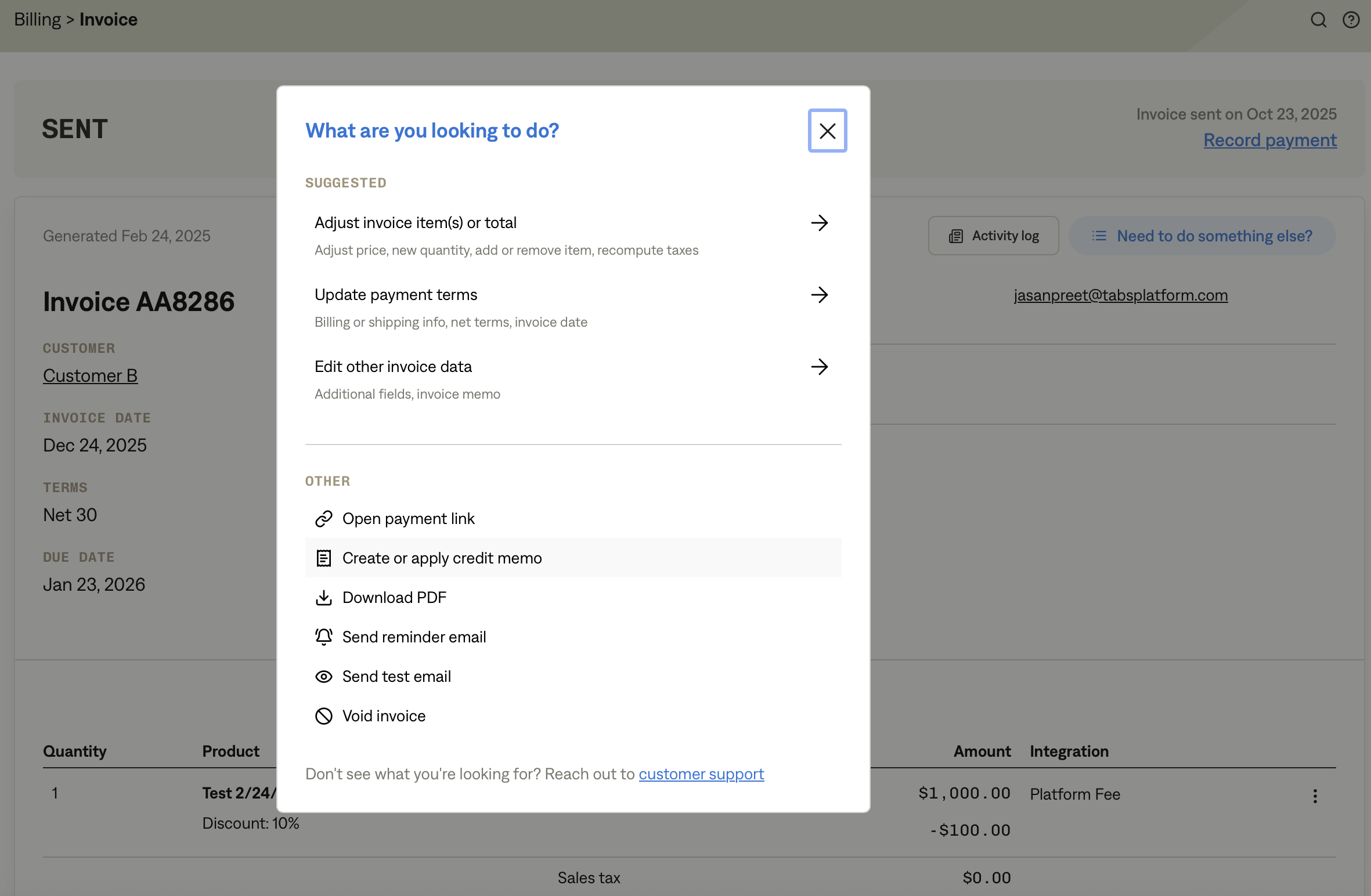
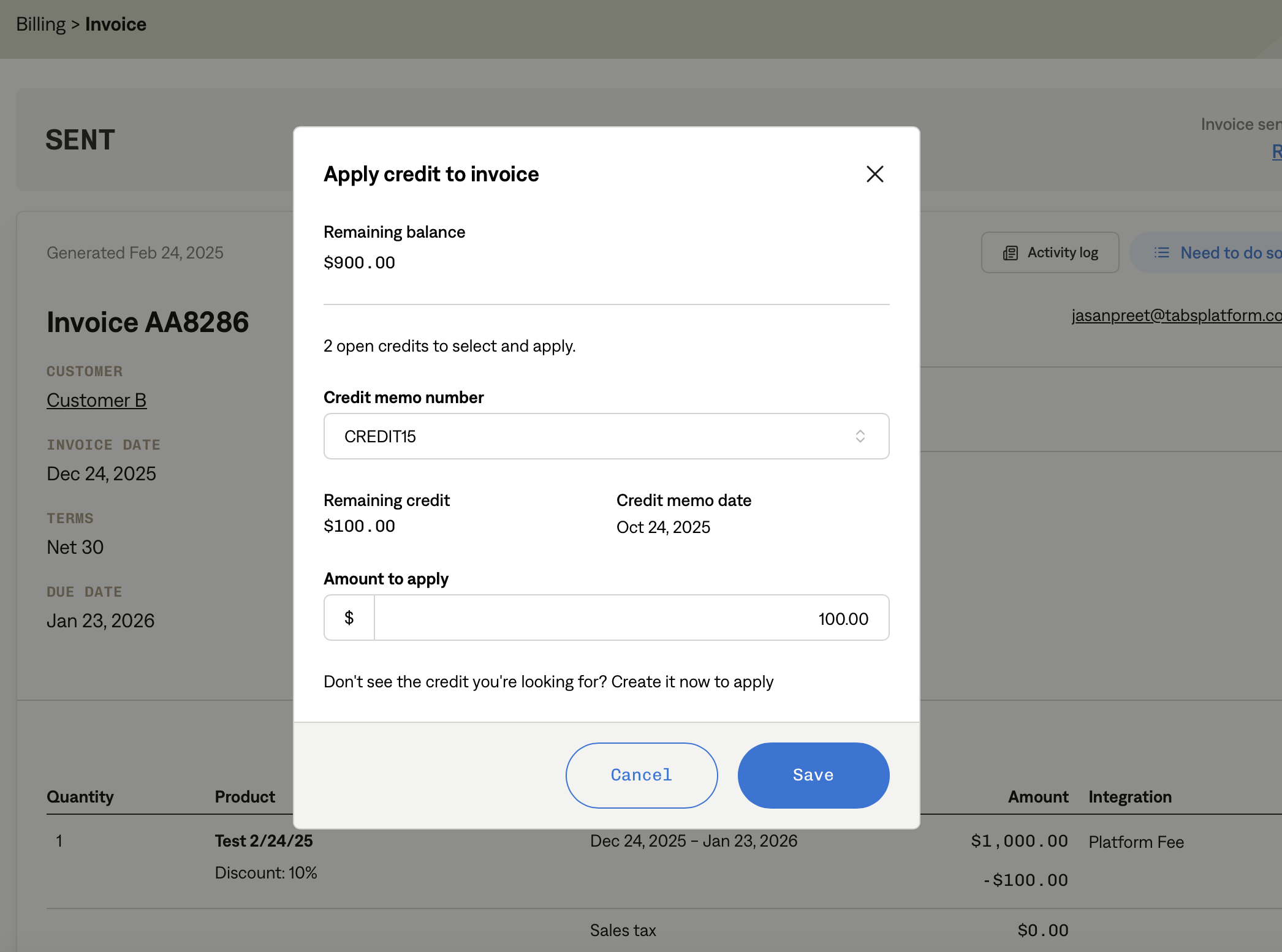
When a future invoice is issued for that customer, you can choose to apply the available credit.
Application reduces the invoice balance and updates the memo status to PARTIALLY APPLIED OR APPLIED.
Key Points
Account-level credit memos are not tied to any specific invoice.
They can be applied to future sent invoices for that customer.
Customers are only notified once the credit is applied to an invoice.