How to bulk delete Invoices
Last updated: April 30, 2026
Tabs supports deleting invoices in bulk in two ways. Note: Invoices must be in Draft status to be deleted.
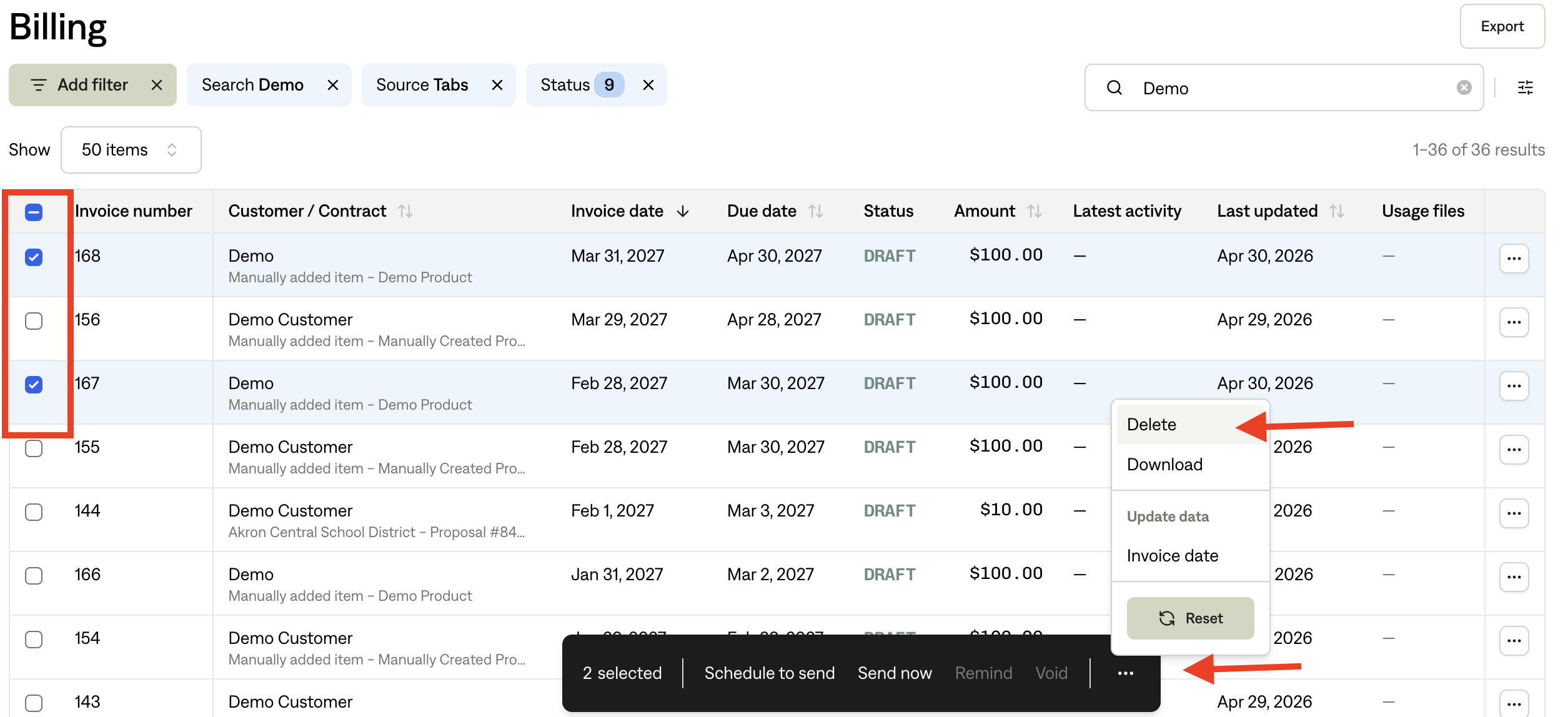
To delete multiple invoices you can do so in the Billing section.
Navigate to Invoicing > Billing
Use the checkboxes to select multiple invoices
Click the ellipsis (•••) menu at the bottom center of the page
Select Delete
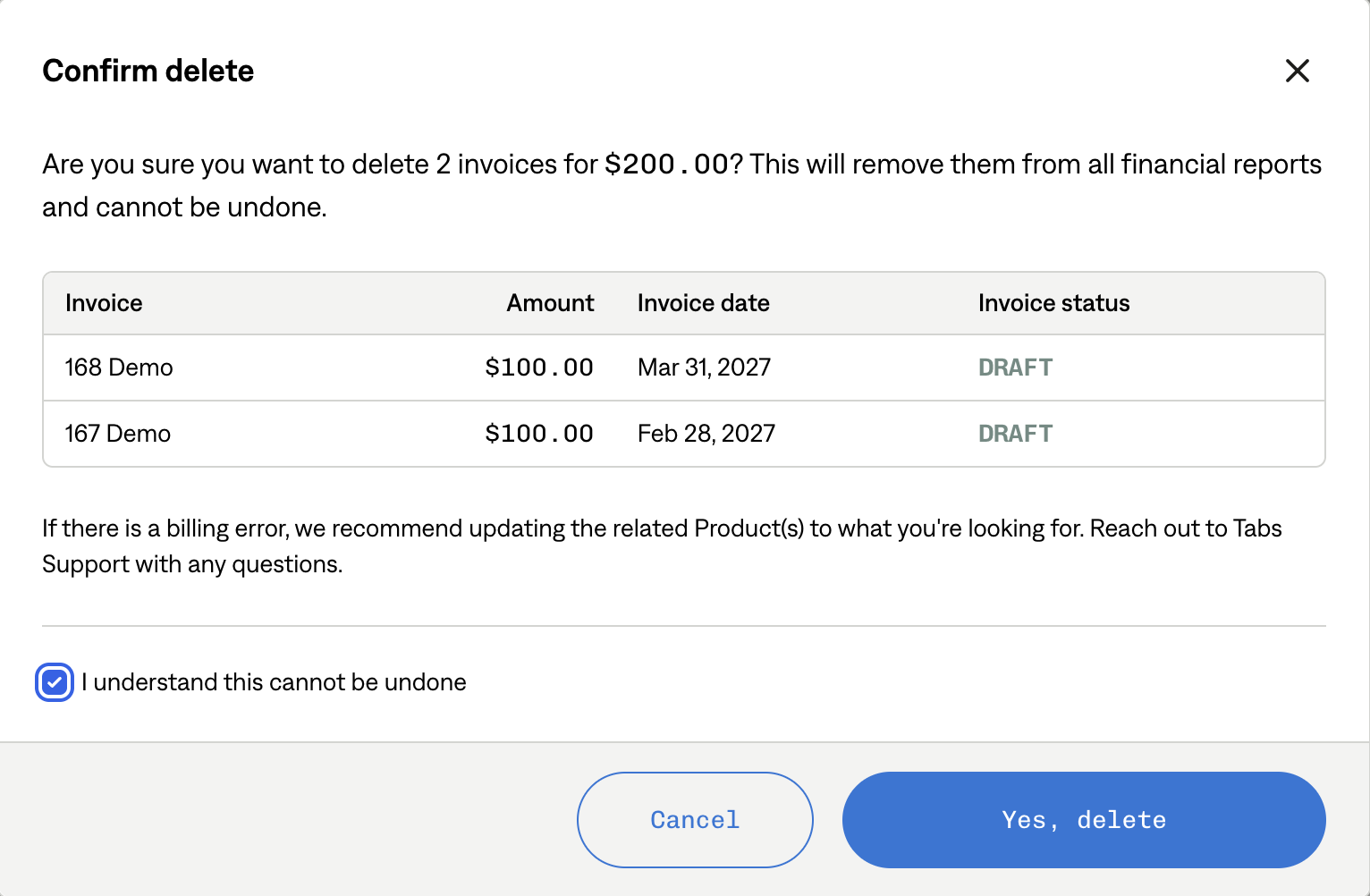
Confirm your selection by clicking "Yes, delete"
Delete invoices from a Customer’s Billing page
Navigate to Customers > Billing
Use the checkboxes to select multiple invoices
Click the ellipsis (•••) menu at the bottom center of the page
Select Delete
Confirm your selection by clicking "Yes, delete"