Set up a billing schedule for a Billing Term in Tabs
Last updated: August 24, 2026
A billing schedule tells Tabs when to create invoices, how often, and when payment is due. Configure it when you add or edit a Billing Term on a customer contract.
What is a billing schedule?
A billing schedule tells Tabs:
When billing starts
How many invoices to create
How often to bill (monthly, annually, one-time, and so on)
When payment is due (for example, Net 30)
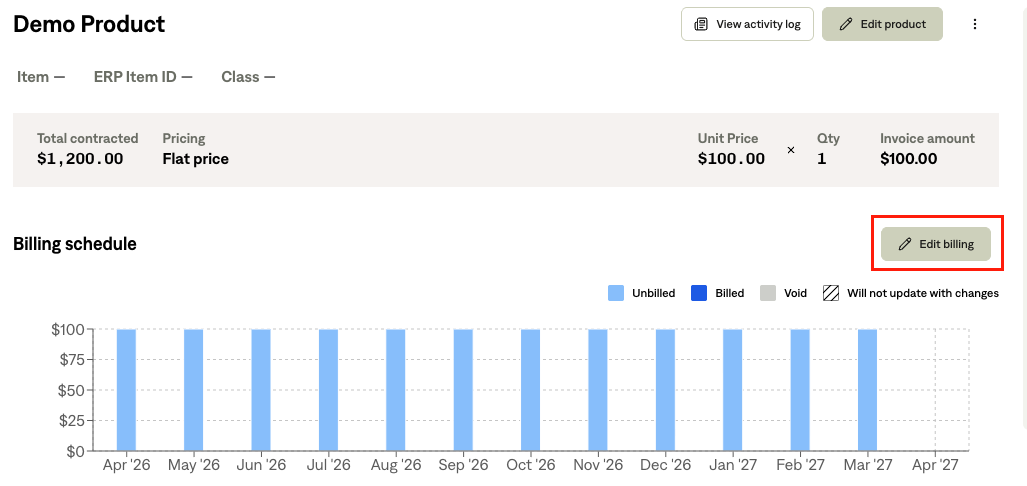
After you save, Tabs generates invoices on that schedule. You can review the plan on the Billing Term's Billing schedule section before sending invoices to your customer.
Open the billing schedule editor
In Tabs, go to Customers and open the customer.
Open the contract that contains the Billing Term.
Open the Billing Term, or select Add Billing Term to create one.
If the Billing Term has no schedule yet, choose New Billing. If it already has one, choose Edit billing.
Billing settings
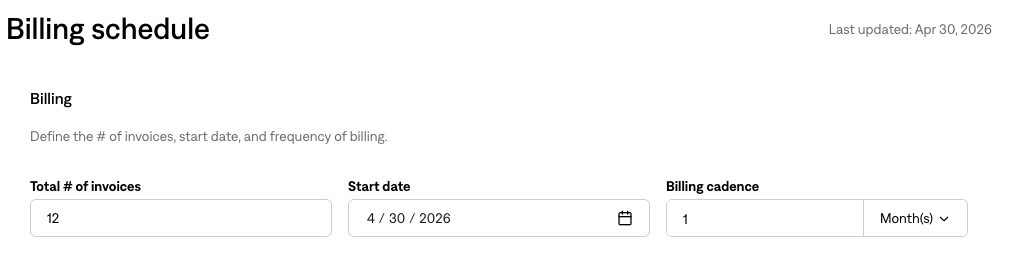
The Billing section defines invoice count, start date, and frequency.
Total number of invoices
What it does: Sets how many invoices Tabs will create for this Billing Term over the term you’re billing for.
Example: A 12-month agreement billed monthly → set 12.
Start date
What it does: The date the first billing period begins.
Tips:
Pick a date that matches your contract or order form.
If invoices have already been sent for this Billing Term, start date and cadence may be locked to protect your billing history.
Billing cadence
What it does: How often Tabs creates an invoice. Combine a number with a period (for example, 1 + Month(s) = monthly).
Cadence | Typical use |
|---|---|
1 Month(s) | Monthly subscription or services |
3 Month(s) | Quarterly billing |
1 Year(s) | Annual billing |
1 Day(s) | Daily billing (uncommon; specific contracts) |
Half Month(s) | Twice per month |
None (Non-Recurring) | One-time charge — single invoice |
Examples:
Your goal | Cadence | # of invoices | Start date |
|---|---|---|---|
12-month deal, monthly invoices | 1 Month(s) | 12 | Contract start |
Annual fee, one invoice per year | 1 Year(s) | 1 | Renewal date |
Payment settings
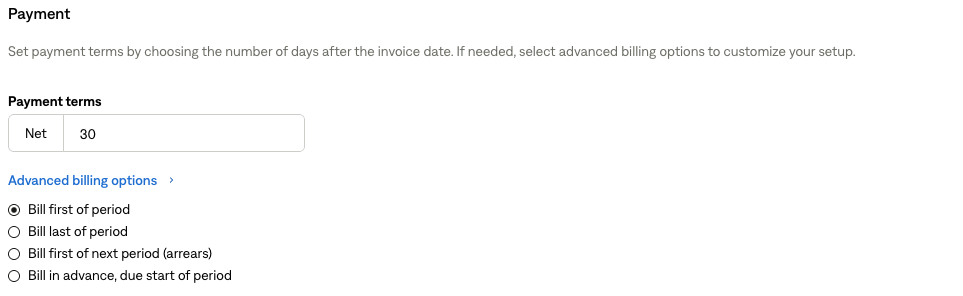
The Payment section sets when payment is due and optional timing for when the invoice is dated within each period.
Payment terms
What it does: Standard Net X terms — payment is due X days after the invoice date.
Example: Net 30 → due 30 days after the invoice date.
Advanced billing options
Expand Advanced billing options to control when the invoice is dated relative to each billing period. This matters especially for usage and arrears billing.
Option | When to use it |
|---|---|
Bill first of period | Invoice at the start of each period (common for subscriptions). |
Bill last of period | Invoice at the end of the period. |
Bill first of next period (arrears) | Invoice at the start of the next period for usage in the prior period. |
Bill in advance, due start of period | Invoice before the period; due date aligns with period start. |
Quick guide:
Scenario | Suggested option |
|---|---|
Monthly SaaS, bill at period start | Bill first of period |
Usage billed after the month | Bill first of next period (arrears) |
Annual license invoiced before the year | Bill in advance, due start of period |
Pricing (what appears on each invoice)
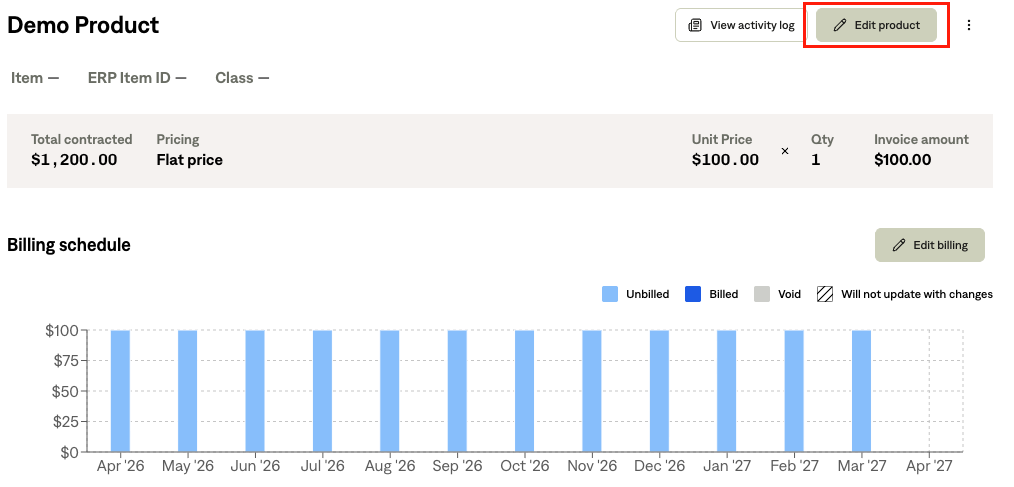
Pricing is configured on the same screen as the schedule. It does not change when invoices are created, but it defines what each invoice includes.
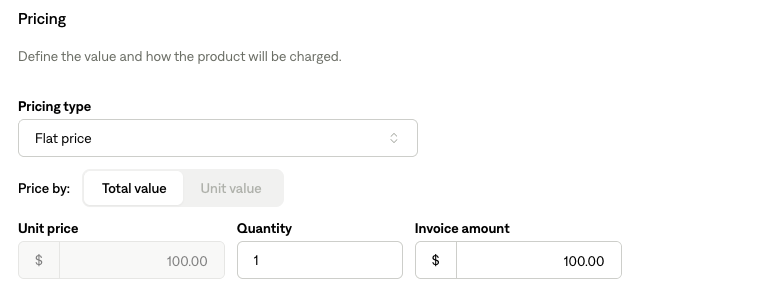
Pricing type | Best for |
|---|---|
Flat price | Fixed amount per period (e.g. $500/month platform fee) |
Unit price | Per-unit usage (requires an event type) |
Tier unit / tier flat price | Price by volume tier |
Volume unit / volume flat price | Price based on total volume in the period |
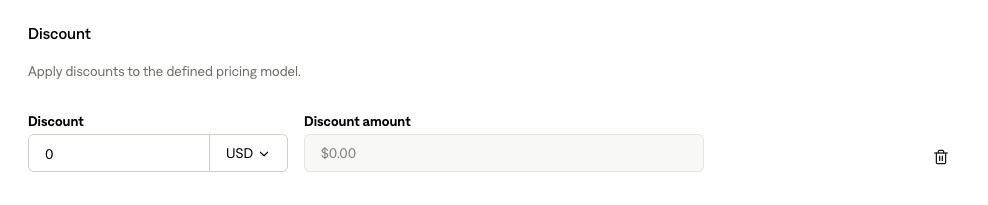
Discounts: You can add fixed or percentage discounts on supported pricing types (not on tiered pricing types).
Save your schedule
Review Billing, Payment, and Pricing.
Select Save (or your form’s primary action).
If Tabs detects unsent invoices with prior manual edits, you may be asked whether to apply changes to all unsent invoices or keep existing line items as they are.
Things to know
Situation | What to expect |
|---|---|
Invoices already sent | Start date, cadence, and some payment settings may be locked. Pricing updates may apply only to unsent invoices. |
Closed accounting period | Start or end dates in a closed period are not allowed. |