Uploading Bank Transactions
Last updated: February 19, 2025
Summary
Upload transactions from your business banking accounts to Tabs for cash application. Tabs accepts uploads in .csv format.
Steps:
Prepare your upload by going to your banking application and exporting transactions for the relevant date range. Ensure that the export is in .csv format.
Navigate to the transactions page by clicking on the transactions link in the navigation.
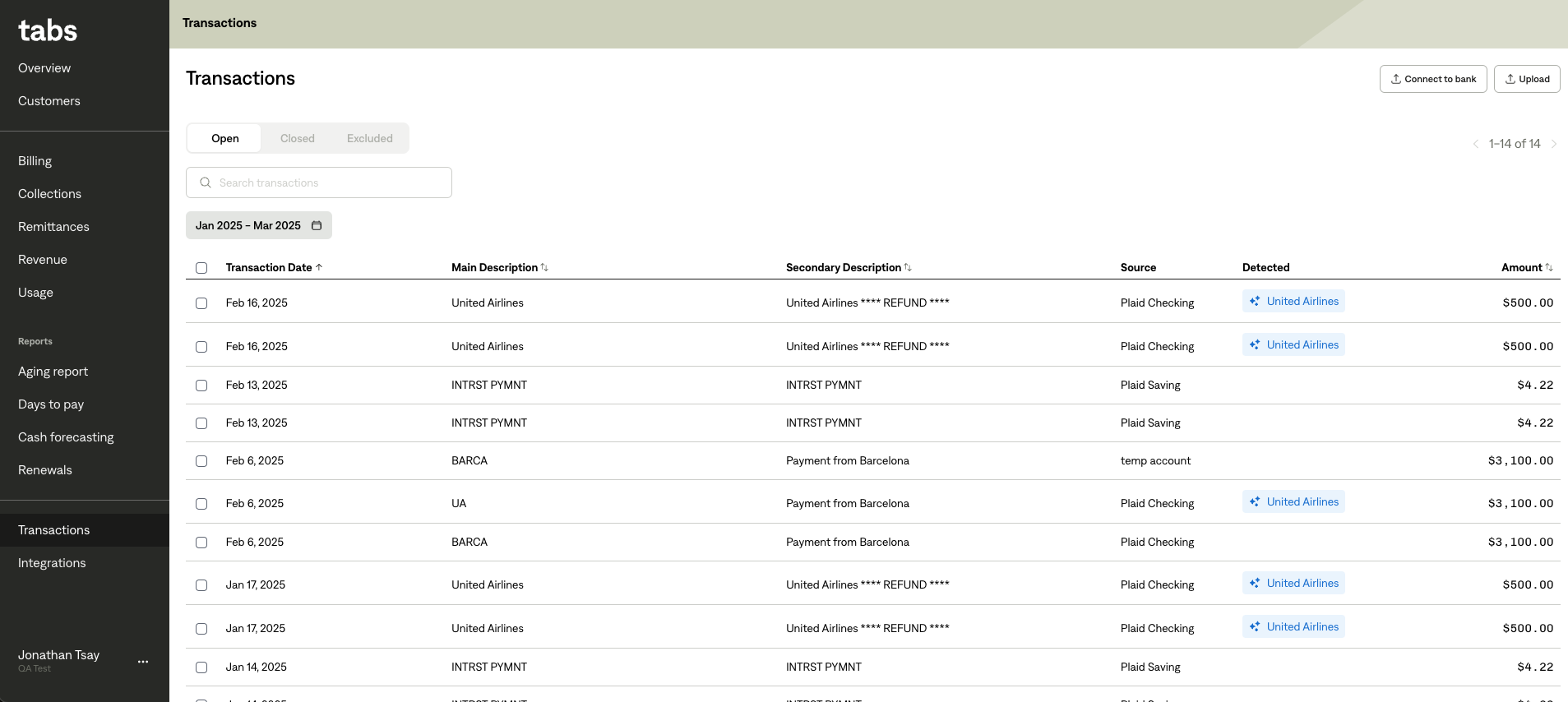
Click the ‘upload’ button.
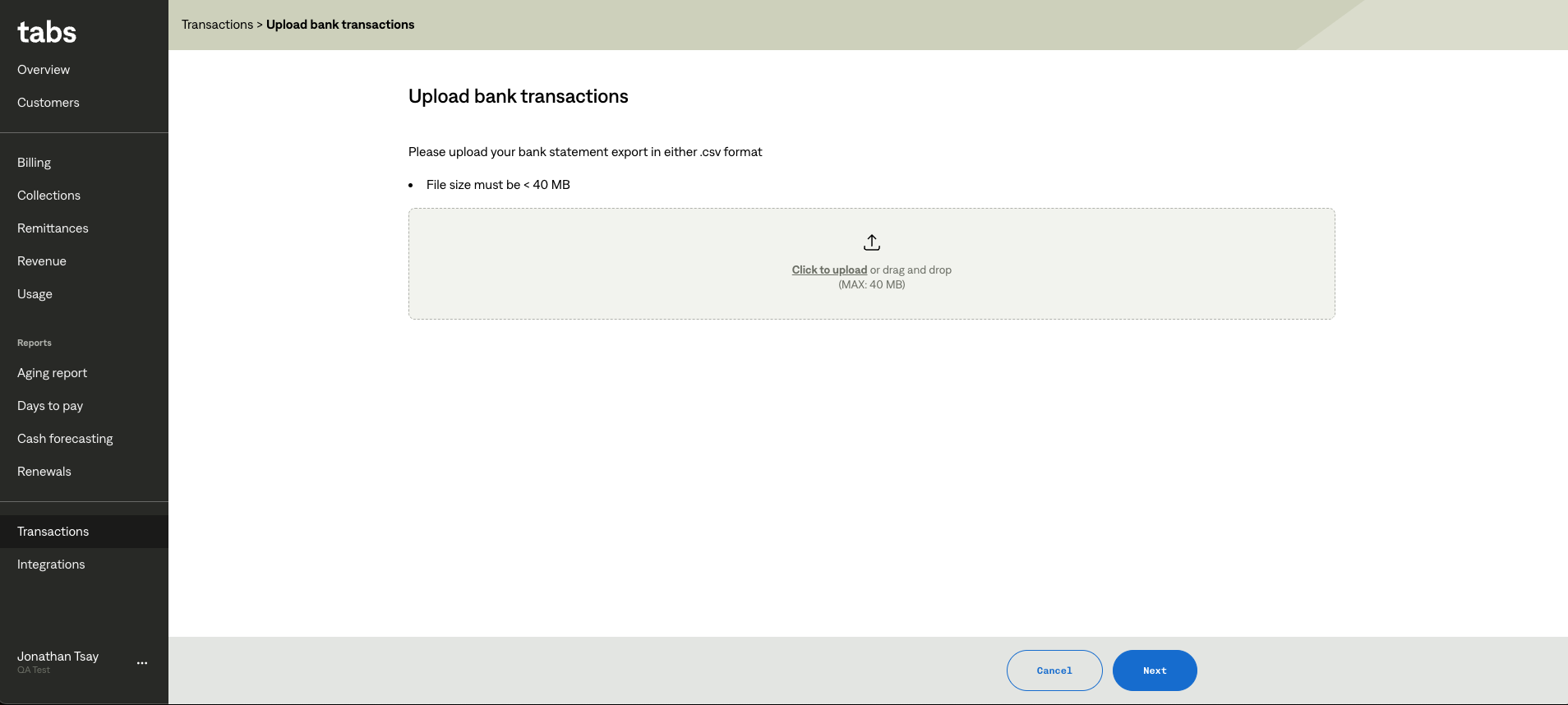
Drag & drop or click ‘upload’ and select your transactions file.
Map the appropriate columns for the upload. Date and amount columns are required.
Tabs AI works best if descriptions are mapped to columns that have as much raw data as possible. Select columns that are most likely to contain invoice or customer information.
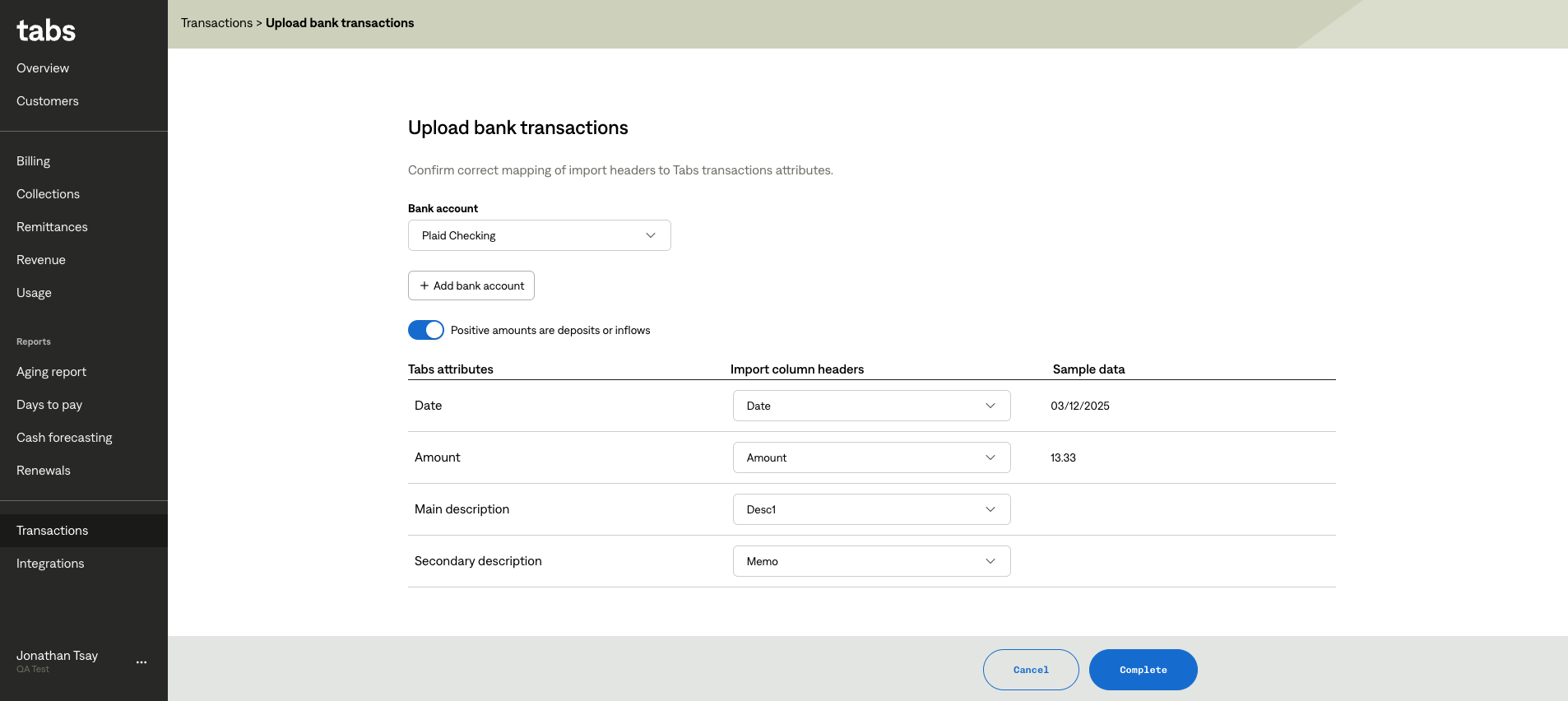
If deposits are positive make sure the toggle labelled ‘Positive amounts are deposits or inflows’ is on. If deposits are negative for this account, ensure the toggle is off.
Click ‘complete’ when you are ready.