How do I void an invoice?
Last updated: September 17, 2026
Summary
This article will demonstrate how to VOID an invoice in Tabs Platform. Voiding is available when the invoice doesn't have a payment attached to it and your connected accounting integration supports voiding invoices. If either condition isn't met, the Void Invoice option won't be available on the invoice — see Alternate Options below for other ways to update the invoice.
Step-by-Step Instructions
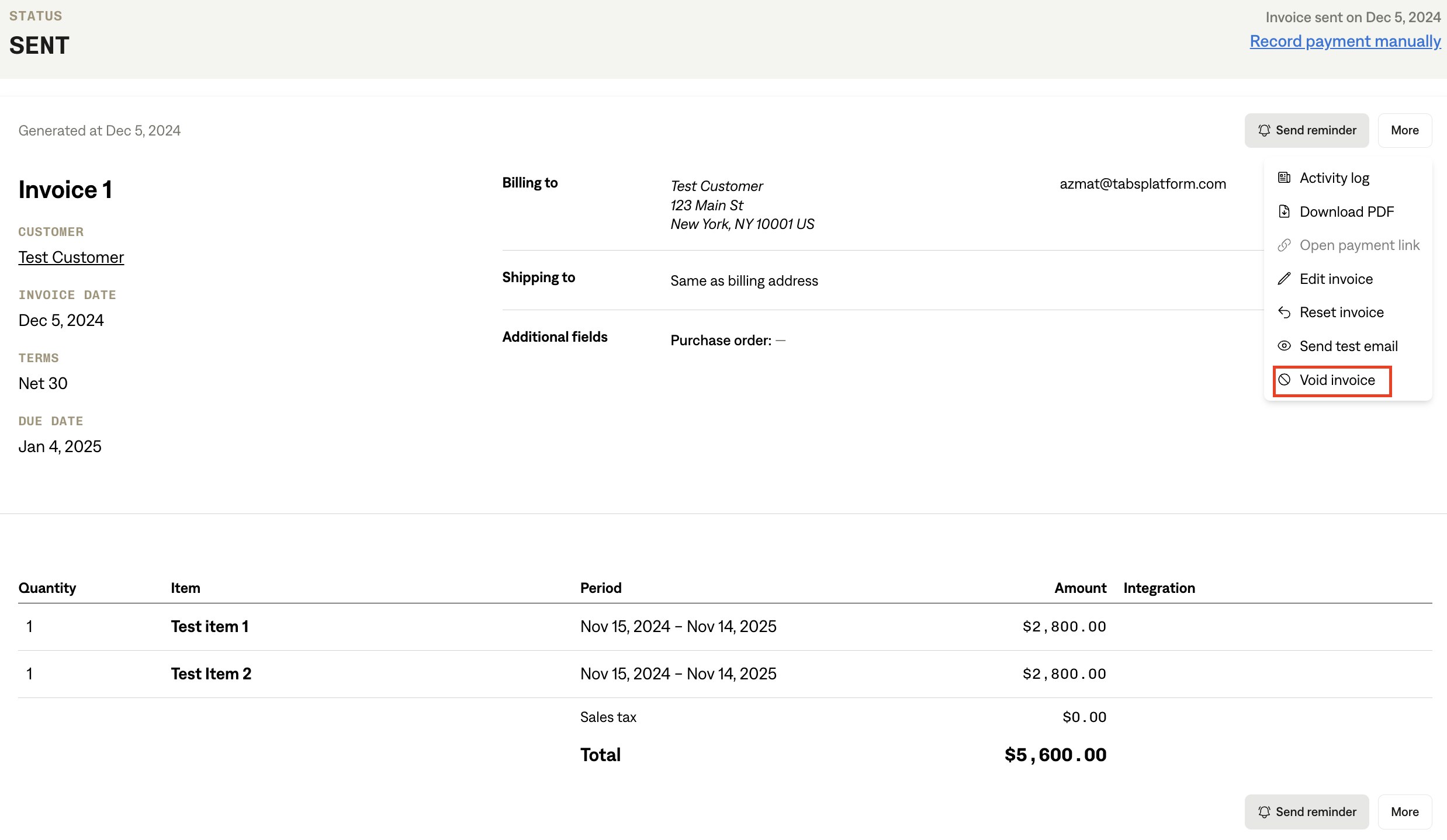
Navigate to invoice details page for any invoice
On top right click button for 'More'
Select 'Void Invoice'
Things to know:
Roles/Permissions: Must be an 'Editor' or 'Admin' in Tabs
Dependencies: Accounting period in general ledger must be open
You will not be able to void an invoice if the accounting period for the invoice date is closed
ERP/accounting integration support: The Void Invoice option only appears when your connected integration supports voiding. If your integration doesn't support it, you won't see the option on the invoice — you can revert the invoice to Draft, make edits, and resend instead (see Alternate Options below)
Alternate Options
If Void Invoice isn't available on an invoice, use one of the following instead, depending on why:
Invoice has a payment attached: create a Credit Memo in Tabs to reduce the outstanding balance. See Creating Credit Memos in Tabs for step-by-step instructions.
Your connected ERP doesn't support voiding: revert the invoice to Draft, make any necessary edits, and resend it.