How do I integrate Avalara with Tabs?
Last updated: April 24, 2026
Summary
You can integrate Avalara with Tabs using your Avalara login credentials. Once connected, Tabs will sync with Avalara to support tax calculations and workflows.
You must have admin permissions in Avalara before attempting this integration.
Steps to Integrate
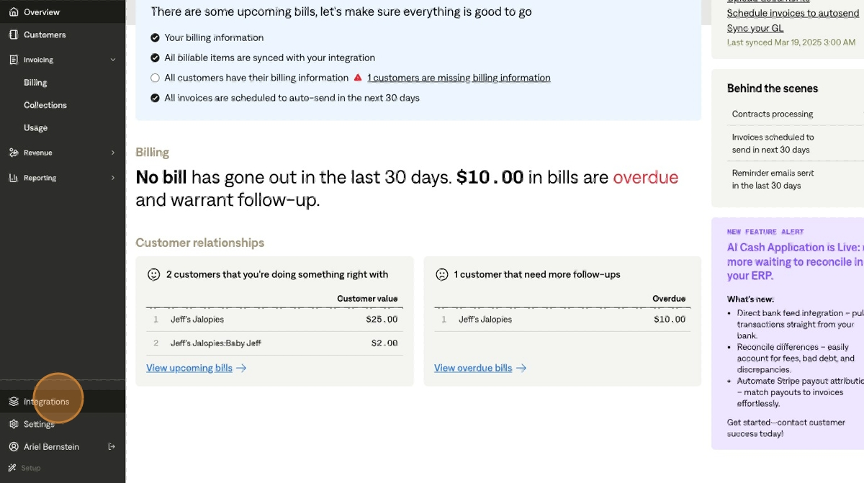
Go to Integrations
In Tabs, navigate to the Integrations page from the left-hand menu.
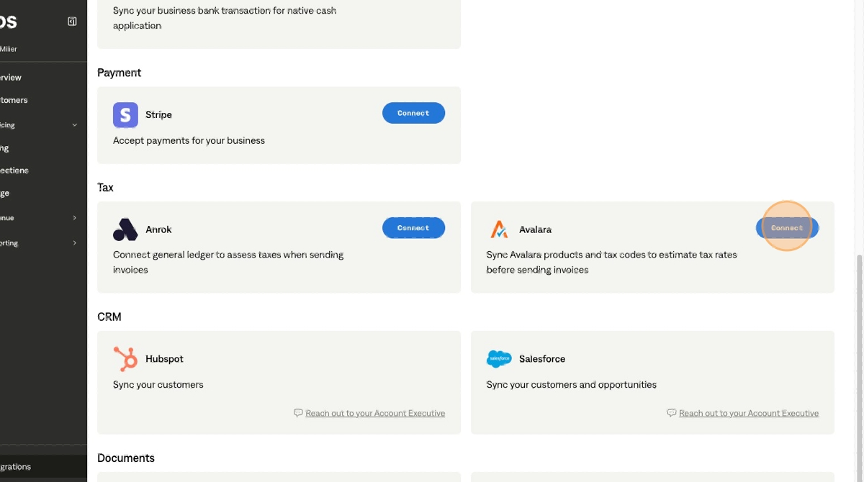
Locate Avalara
Scroll to the Tax section.
Find the Avalara tile and click Connect.
Enter Avalara Credentials
Input the following:
Username
Password
Environment
Select Production unless you are testing with a Sandbox
Company ID
In Avalara:
Go to Account → Companies
Click the three dots next to your company
Select View Company Details
Copy the Company ID from the URL
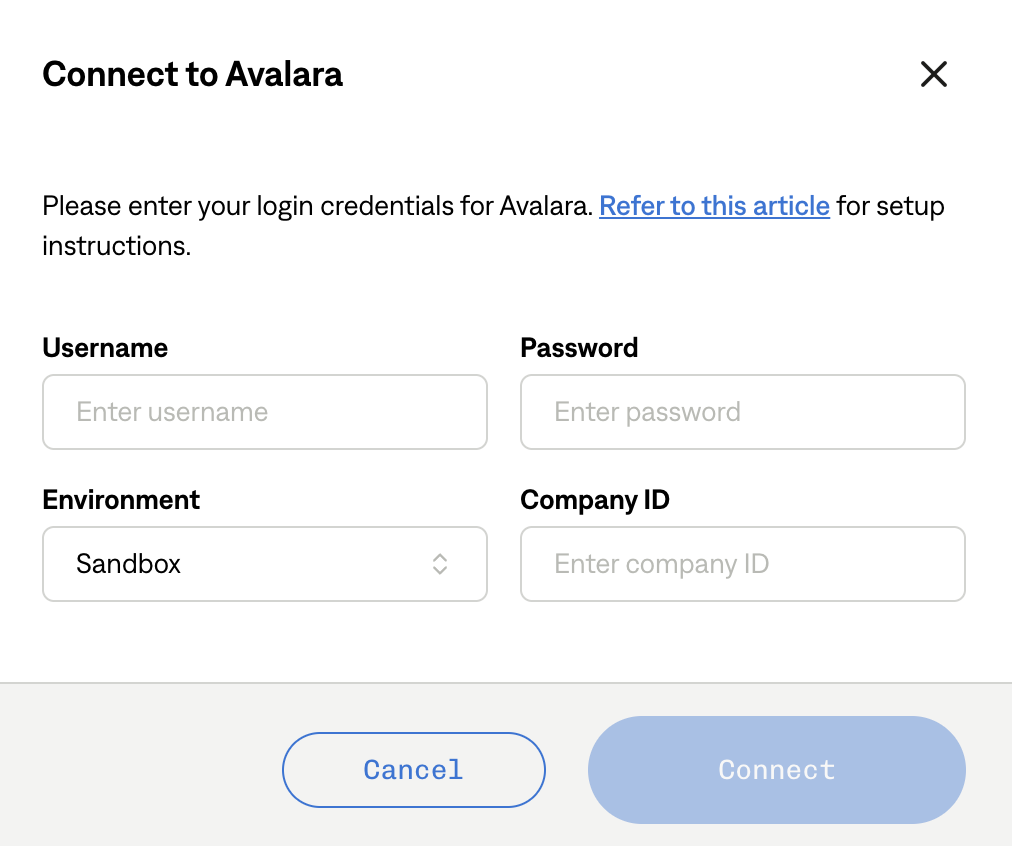
Complete Setup
Click Connect to finish the integration.
What Happens Next
Once connected, Tabs will begin communicating with Avalara to support tax-related functionality. If the connection fails, double-check your credentials, environment, and Company ID.
Common Issues
Permission errors → Ensure you have admin access in Avalara
Invalid Company ID → Confirm you copied the correct ID from Avalara
Connection fails → Verify you're using the correct environment (Production vs Sandbox)