How to Cancel Future Invoices for a Customer / How to Churn a Customer
Last updated: August 13, 2026
Summary / Introduction
Learn how to cancel future invoices for a customer by updating their billing schedule. If future invoices have already been scheduled, they must first be unscheduled and returned to Draft status before making billing schedule changes.
Step-by-Step Instructions
Prerequisite: Check for Scheduled Invoices
If any future invoices are currently in Scheduled status, they will not be automatically removed when you reduce the number of billing periods.
Navigate to the customer's invoices.
Identify any future invoices in Scheduled status.
Unschedule those invoices and return them to Draft status.
Once all future invoices are in Draft status, continue with the steps below.
Cancel Future Invoices
Navigate to the customer's page.
Click on the Billing terms.
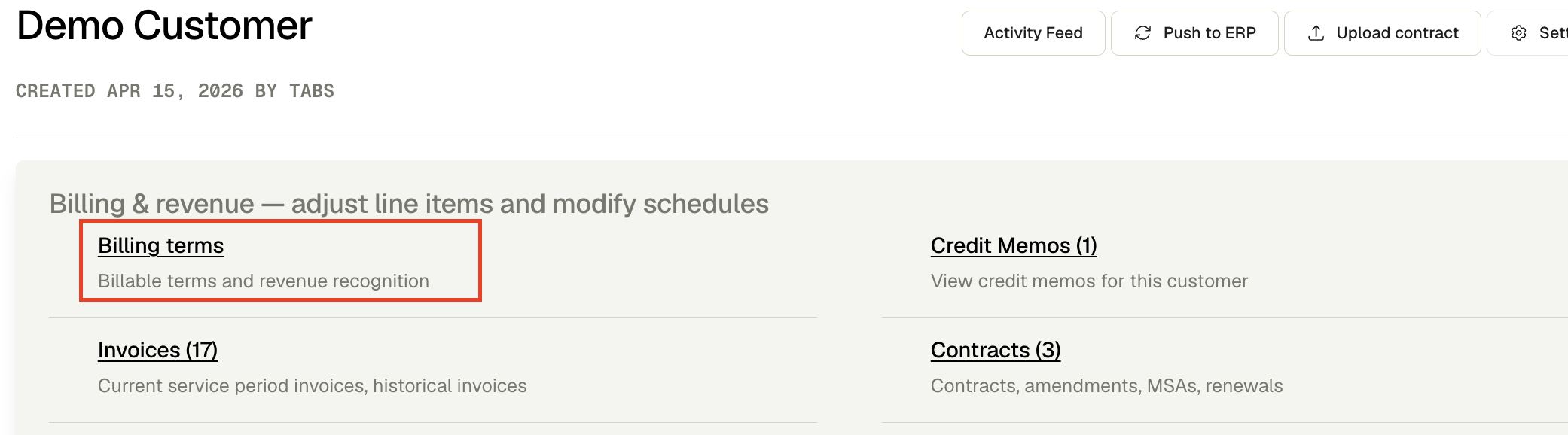
Select the billing term you want to modify.
Click Edit Billing term.

Decrease the number of periods to remove the desired number of future invoices.
Tips & Best Practices
Review the updated billing schedule after making changes to ensure the correct invoices have been canceled.
Churning a customer can be completed at the billing term level.
If future invoices are already scheduled, reducing the number of billing periods will not automatically delete them. Unschedule the invoices and return them to Draft status before updating the billing schedule.
Other ways to stop future billing
Reducing the number of billing periods (this article) shortens the remaining invoice count on a billing term. Use a different workflow if you are ending the customer or the billing term mid-contract.
Churn a customer or end billing on a date → Terminate Billing Terms (BTs)
Use this when the customer is churning, or when a billing term should stop as of a last day of service. Terminate:
Shortens the final service period to that date
Removes future unsent invoices so they do not regenerate
Does not require unscheduling invoices first
This is the recommended path for most “cancel future invoices / churn a customer” cases. Repeat for each billing term you need to stop.
End a usage commitment → Terminate Commitment
Use this when the customer has a usage commitment. Terminating the commitment ends the commitment and all associated billing terms as of the termination date.
If you want to… | Use |
|---|---|
Remove some remaining invoices, keep the billing term otherwise unchanged | This article (reduce billing periods) |
Stop a billing term as of a date (typical churn) | |
Stop a usage commitment and its billing terms |