How to Add Revenue Categories
Last updated: August 24, 2026
Summary / Introduction
In this article, you'll learn how to add revenue categories to your Billing Terms, which helps you organize and track revenue streams within your customer accounts.
Step-by-Step Instructions
Step One: Navigate to the 'Customers' tab
Step Two: Select and click into the desired customer
Step Three: Click on the 'Billing Terms' section
Step Four: Select the Billing Term you want to categorize
Step Five: Click 'Edit revenue'
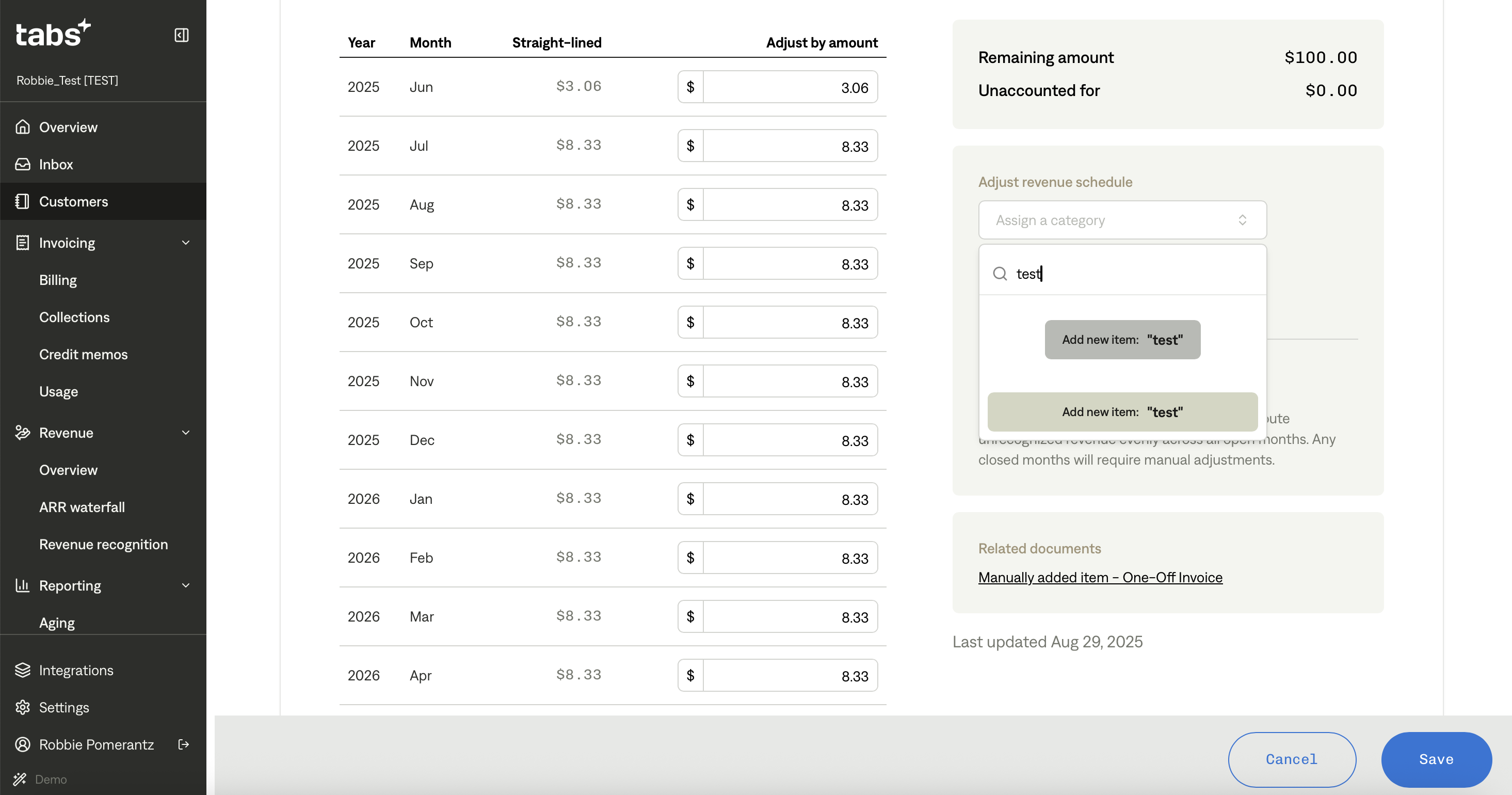
Step Six: Type in a revenue category in the 'Assign a category' field
Step Seven: Click 'Add new item' in the dropdown to create the category
Tips & Best Practices
Tip #1: Plan your category structure before creating new categories, as they cannot be edited or removed once created at this time
Tip #2: If you need to make changes to a category, create a new one with the correct information instead