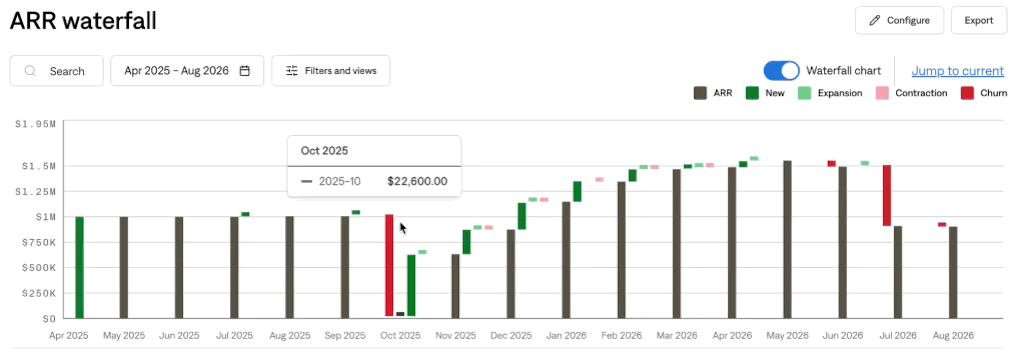
Tabs Live & Configurable ARR
Last updated: September 30, 2026
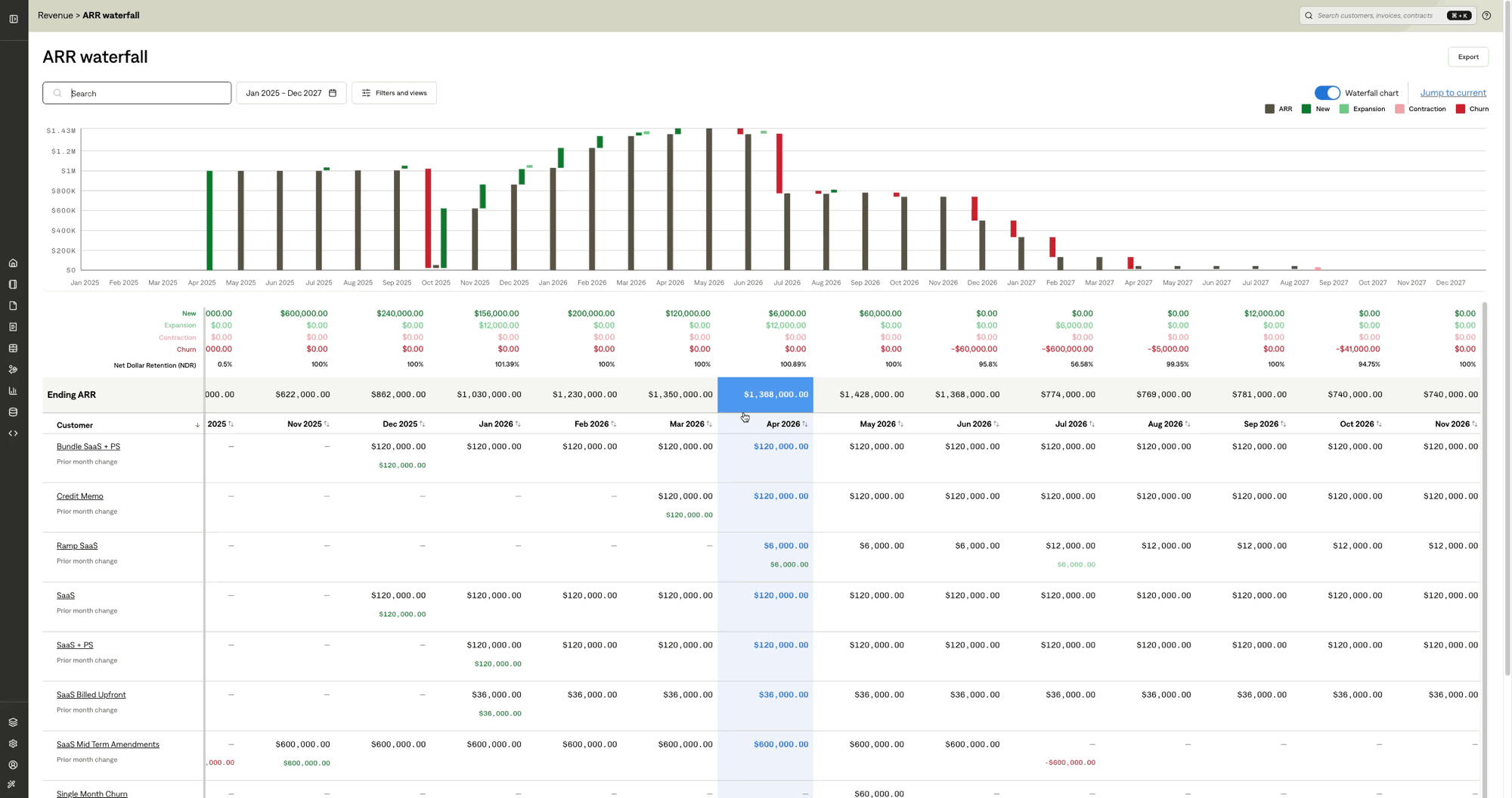
How is Live ARR defined in Tabs?
Tabs ARR is annualized recurring revenue based on contractual obligations, not recognized revenue (ARR ≠ Monthly Recognized Revenue × 12).
Because ARR is a non-GAAP, forward-looking metric that is separate from GAAP revenue, it is not skewed by revenue adjustments (e.g., credit memos) or recognition patterns.
This separation lets you compare annualized GAAP revenue against ARR to surface:
Lagging events caused by implementation inefficiency, billing errors, adjustments, abuse, or fraud
Leading events driven by overage that indicate upgrade opportunities
How is ARR calculated in Tabs?
Tabs first converts non-monthly contract terms into a monthly run rate, then annualizes it. For example, $12,000 quarterly = $4,000 monthly → $4,000/month x 12 months = $48,000 ARR.
Because Tabs ARR is based on contractual obligations, ramped contracts reflect the run rate for each stage.
Product | Price | Frequency | Periods | ARR Configuration |
|---|---|---|---|---|
Platform Fee | Included | |||
• Trial (M1-M3) | $0 | Monthly | 3 | |
• Pilot (M4-M6) | $500 | Monthly | 3 | |
• Scale (M7-M12) | $1,000 | Monthly | 6 |
M1 | M2 | M3 | M4 | M5 | M6 | M7 | M8 | M9 | M10 | M11 | M12 | |
|---|---|---|---|---|---|---|---|---|---|---|---|---|
ARR | $0 | $0 | $0 | $6,000 | $6,000 | $6,000 | $12,000 | $12,000 | $12,000 | $12,000 | $12,000 | $12,000 |
Can I customize ARR in Tabs?
Unlike Recognized Revenue, ARR is a non-GAAP metric for financial planning & analysis, each company tailors its definition to fit its business model and reporting needs. To support both rigor and flexibility, Tabs introduces Configurable ARR for you to further define what contributes towards ARR without compromising industry best practices for defensible and transparent ARR reporting.
Set an ARR default on a product
You can set an ARR default on a product to be applied automatically to the billing terms created from that product. Set it in either place:
Products → Create product or Edit product. The field is ARR default.
While creating or editing a billing term, select from the product dropdown. The default is applied when you assign the product to a billing term.
Save the billing term.
Changing a product’s ARR default later applies only going forward; existing billing terms remain unchanged.
ARR default | What a new billing term starts as |
|---|---|
Unspecified | New products start as Unspecified. Tabs will follow the billing term ARR settings. |
Include | Included in ARR |
Exclude | Excluded from ARR |
Set an ARR default vis bulk product catalog upload
You can also set the same field in a product catalog upload. The column is arr_default. Accepted values are Include, Exclude, or blank.
A blank cell on a new product saves Unspecified.
A blank cell on an existing product leaves that product’s current ARR default unchanged.
The upload changes the product only. It does not rewrite billing terms already on that product.
Ensure ARR reporting accuracy with automatic ARR audit
Tabs continuously audits your ARR settings using these rules and surfaces exceptions for you to review.
For non-usage billing terms:
One-time billing terms are excluded.
If a product default exists, Tabs compares the billing term’s ARR setting against the product settings for consistency. Any deviation is flagged as an exception.
Otherwise, Tabs evaluates the billing term’s ARR setting based on type (flat vs. usage) and cadence (one-time vs. recurring). Any unreasonable setting (e.g., included in ARR with a one-time cadence) is flagged as an exception.
Although you can override the ARR setting, Tabs enforces a fixed rule set to ensure the calculation remains accurate.
Committed usage: the committed amount (base + true-up) is included. Overages are excluded.
Non-committed usage follows the merchant usage setting: Exclude (Default), 3-Month Avg, or 6-Month Avg.
How to review ARR audit exceptions
A banner at the top of the ARR Waterfall report checks billing terms against the rules:
Status | Meaning |
|---|---|
Checking your ARR configuration | Audit is in progress. |
No ARR exceptions | Every billing term matches expected ARR behavior. |
ARR exceptions need review | At least one billing term violates expected ARR behavior. |
Check again | Re-run the audit. |
Open Revenue > ARR waterfall > Configure to open three tabs:
Tab | What it lists |
|---|---|
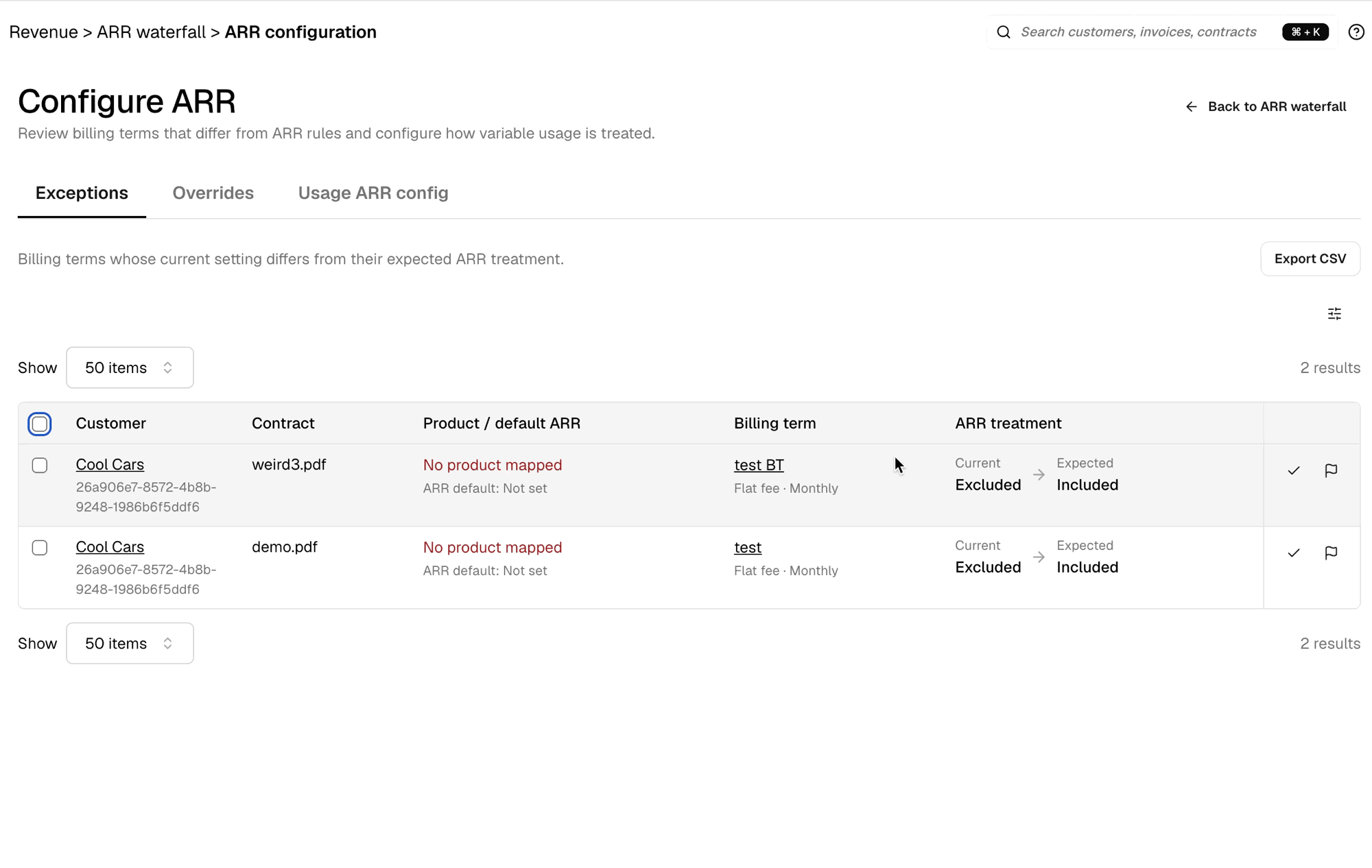
Exceptions | Billing terms whose current setting differs from the expected ARR setting, and that difference has not been accepted. |
Overrides | Billing terms you chose to keep different from the expected setting. |
Usage ARR config | View or adjust howHow usage billing terms contribute to ARR. |
Exceptions
Each exceptions and overrides row shows the context about the customer, contract, product and its ARR default, billing term (type and cadence), and the ARR setting as Current vs Expected. You can review and take action using the action icons on each row, or select multiple items for bulk edit:
Apply expected sets the billing term to the expected Included or Excluded value and removes any override on that term.
Keep current leaves the billing term’s setting unchanged and records it as an override. The term moves from Exceptions to Overrides.
Customer and billing term names link to those records. Click the Columns icon to show or hide additional fields (Contract ID and Product ID). You can also export the list to CSV.
Overrides
The Overrides tab also shows who recorded the override and when, with an action to apply the expected setting. This aligns the billing term with the rule and removes the override.
If you later change the product’s ARR default, or you change that billing term’s ARR setting, the billing term returns to Exceptions for another review.
When a product has a usage-based billing term, ARR follows the merchant-level usage ARR configuration to account for the complexity of committed vs. non-committed usage and overage.
Set usage ARR at the merchant level
You can configure usage products at the merchant level from Configure> Usage ARR Config on ARR Waterfall report page.
Committed Usage
Committed minimum: Included
Overage: Excluded
Non-committed Usage Configuration:
Exclude (Default): Variable usage without committed minimums (e.g., Pay-As-You-Go) contributes $0 to ARR regardless of actual usage revenue. Most conservative approach.
3-month average: ARR = trailing 3-month average of actual usage revenue x 12. Responsive to recent trends (captures changes within one quarter) but can be volatile for customers with spiky usage. (ie, M1 = M1 x 12, M2 = Avg(M1+M2) x 12, M3 = Avg(M1+M2+M3) x 12 and so on.)
6-month average: ARR = trailing 6-month average of actual usage revenue x 12. Smoothest view — absorbs quarterly spikes and dips. But lags behind rapid trend changes by up to two quarters. Best for mature, stable usage patterns. (ie, M1 = M1 x 12, M2 = Avg(M1+M2) x 12… M6 = Avg(M1+M2…+M6) x 12 and so on.)
Product | Price | Frequency | Periods | ARR Configuration |
|---|---|---|---|---|
API Calls | $1/unit | Monthly | 12 | Exclude/3-mth Ave/6-mth Avg |
Periods | M1 | M2 | M3 | M4 | M5 | M6 | M7 | M8 | M9 | M10 | M11 | M12 |
|---|---|---|---|---|---|---|---|---|---|---|---|---|
Actual Usage | $50 | $1,000 | $200 | $50 | $250 | $1,750 | $0 | $0 | $0 | $0 | $0 | $0 |
ARR: Exclude | $0 | $0 | $0 | $0 | $0 | $0 | $0 | $0 | $0 | $0 | $0 | $0 |
ARR: 3-mth Avg | $600* | $6,300* | $5,000 | $5,000 | $2,000 | $8,200 | $8,200 | $8,200 | $8,200 | $8,200 | $8,200 | $8,200 |
ARR: 6-mth Avg | $600* | $6,300* | $5,000* | $3,900* | $3,720* | $6,600 | $6,600 | $6,600 | $6,600 | $6,600 | $6,600 | $6,600 |
partial window — not enough history available
Can I see ARR waterfall movement details?
Without clicking or filtering, you can see which customers make up each waterfall movement bar by hovering over it. We also added customer ID to the ARR report export so users can expand reporting dimensions around customer segments as needed.